The SOCSO SKBBK Detail report allows you to review employees' Skim Kemalangan Bukan Bencana Kerja (SKBBK) contribution details for the selected payroll period.
Steps to Generate the Report
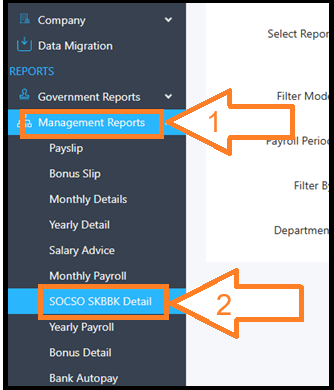
1. Go to Management Reports > Click SOCSO SKBBK Detail.
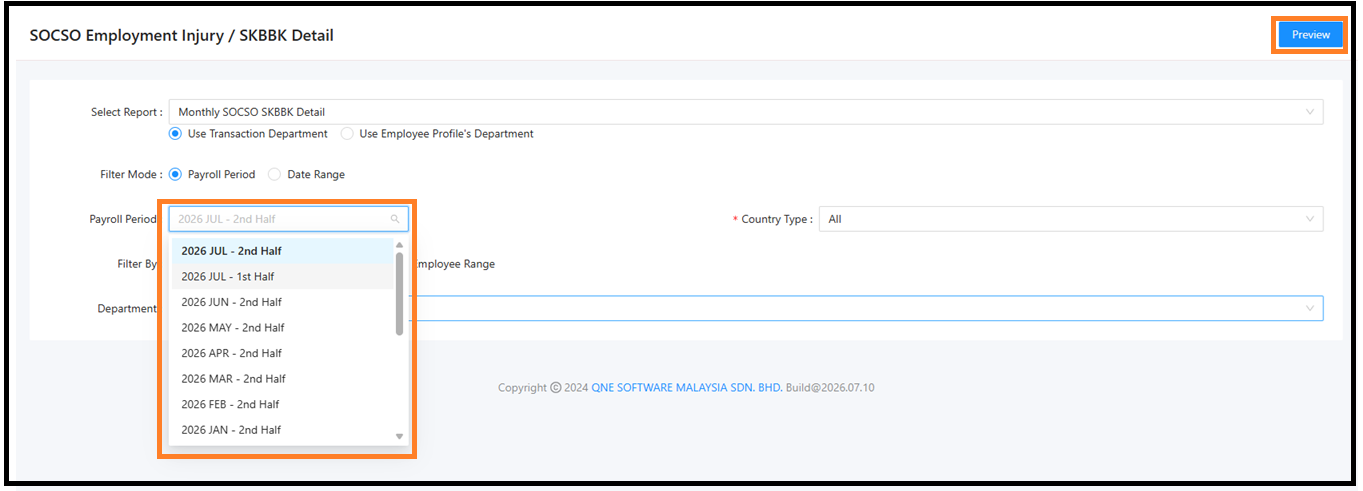
3. Select the Payroll Period > Click Preview.
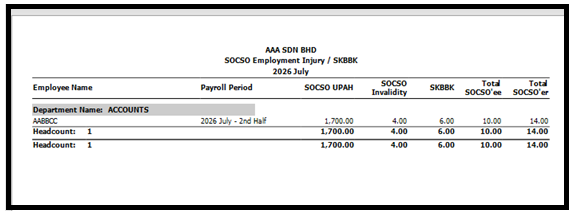
System generates the SOCSO Employment Injury / SKBBK report for the selected payroll period. The report displays each employee's SOCSO and SKBBK contribution details
Was this article helpful?
That’s Great!
Thank you for your feedback
Sorry! We couldn't be helpful
Thank you for your feedback
Feedback sent
We appreciate your effort and will try to fix the article
