What’s New
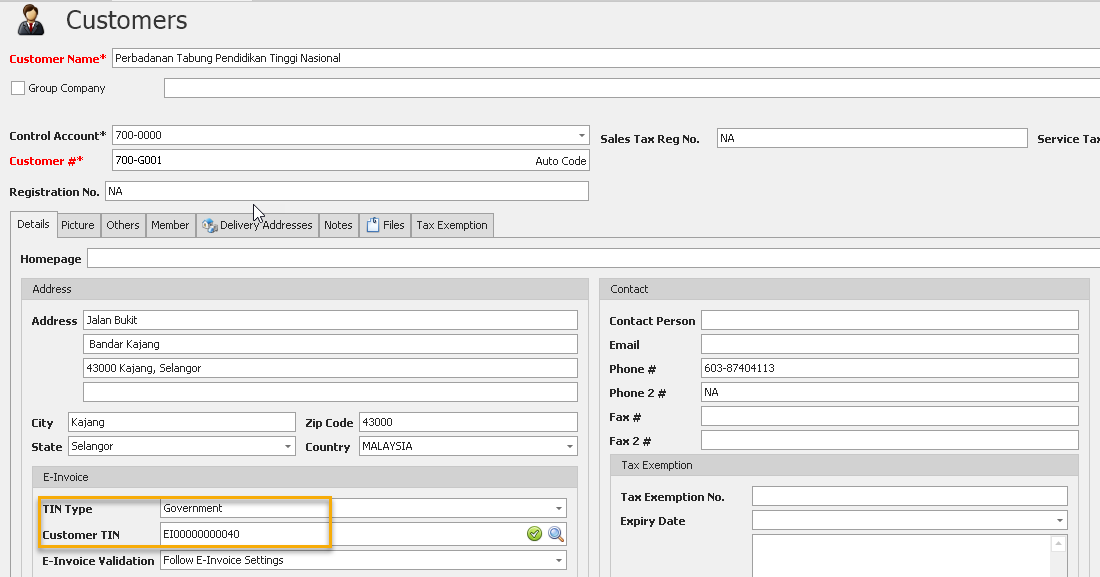
✨1. e-Invoice Module: Enhanced Government TIN Type
- Updated the Government TIN Type to align with the latest e-Invoice requirements.
✨2. e-Invoice Module: Cancellation of Validated e-Invoices
- Added the ability to cancel validated e-Invoices directly from the system.
- Enables users to submit cancellation requests to MyInvois for validated e-Invoices within the permitted time frame.
- For complete guidance on using this feature - Click HERE
✨ 3. Rejection of Validated e-Invoices
- Added support for rejecting validated e-Invoices.
- Allows recipients to reject e-Invoices when corrections are required.
- Updates the e-Invoice status after the rejection request is successfully processed.
- For complete guidance on using this feature - Click HERE
✨4. e-Invoice Module: Consolidated e-Invoice Submission for Sales & Self-Billed
- Added support for Consolidated Sales e-Invoice Submission.
- Allows multiple eligible sales transactions to be combined into a single consolidated e-Invoice.
- For complete guidance on using this feature - Click HERE
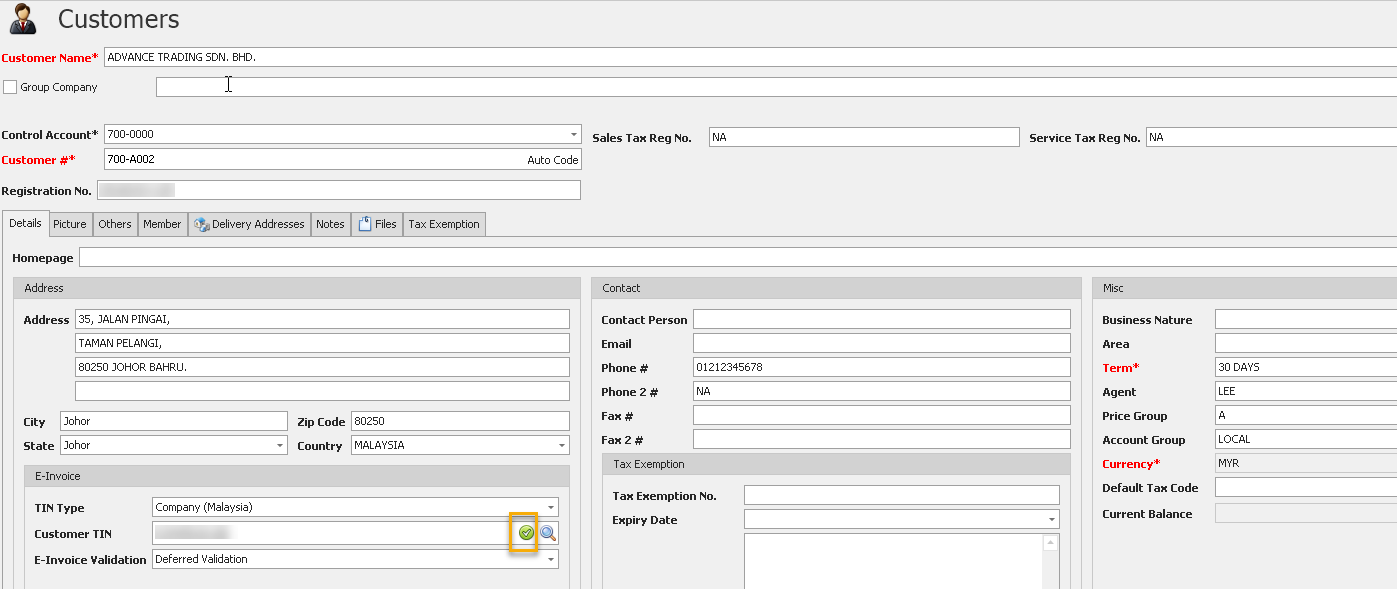
✨5. e-Invoice Module: Verified Customer & Supplier TIN
- Added the ability to verify Customer and Supplier Tax Identification Numbers (TIN).
- Enables users to validate TIN information before submitting e-Invoices.
- Helps reduce submission errors caused by incorrect TIN details.
- Improves data accuracy and increases successful e-Invoice submissions.
✨6. e-Invoice Module: Verified Customer & Supplier TIN
- Added the ability to verify Customer and Supplier Tax Identification Numbers (TIN).
- Enables users to validate TIN information before submitting e-Invoices.
- Helps reduce submission errors caused by incorrect TIN details.
- Improves data accuracy and increases successful e-Invoice submissions.
✨7. e-Invoice Power Search for Batch Submission
- Introduced e-Invoice Power Search to simplify batch e-Invoice submissions.
- Enables users to search, filter, and select multiple transactions for submission in a single operation.
- Improves productivity when processing large volumes of e-Invoices.
- Reduces manual effort and streamlines the submission workflow.
- For complete guidance on using this feature - Click HERE
✨8. e-Invoice Module: QNE Optimum as e-Invoice Intermediary
- Added support for QNE Optimum to act as an e-Invoice Intermediary.
- Enables businesses to submit e-Invoices through the QNE Optimum platform.
- Simplifies integration with the MyInvois system and centralizes e-Invoice processing.
- Provides a more efficient and seamless e-Invoice submission experience.
- For complete guidance on using this feature - Click HERE
See Also:
Optimum Release Notes: 2024.1.0.7
Was this article helpful?
That’s Great!
Thank you for your feedback
Sorry! We couldn't be helpful
Thank you for your feedback
Feedback sent
We appreciate your effort and will try to fix the article
