Scenario:

Result:
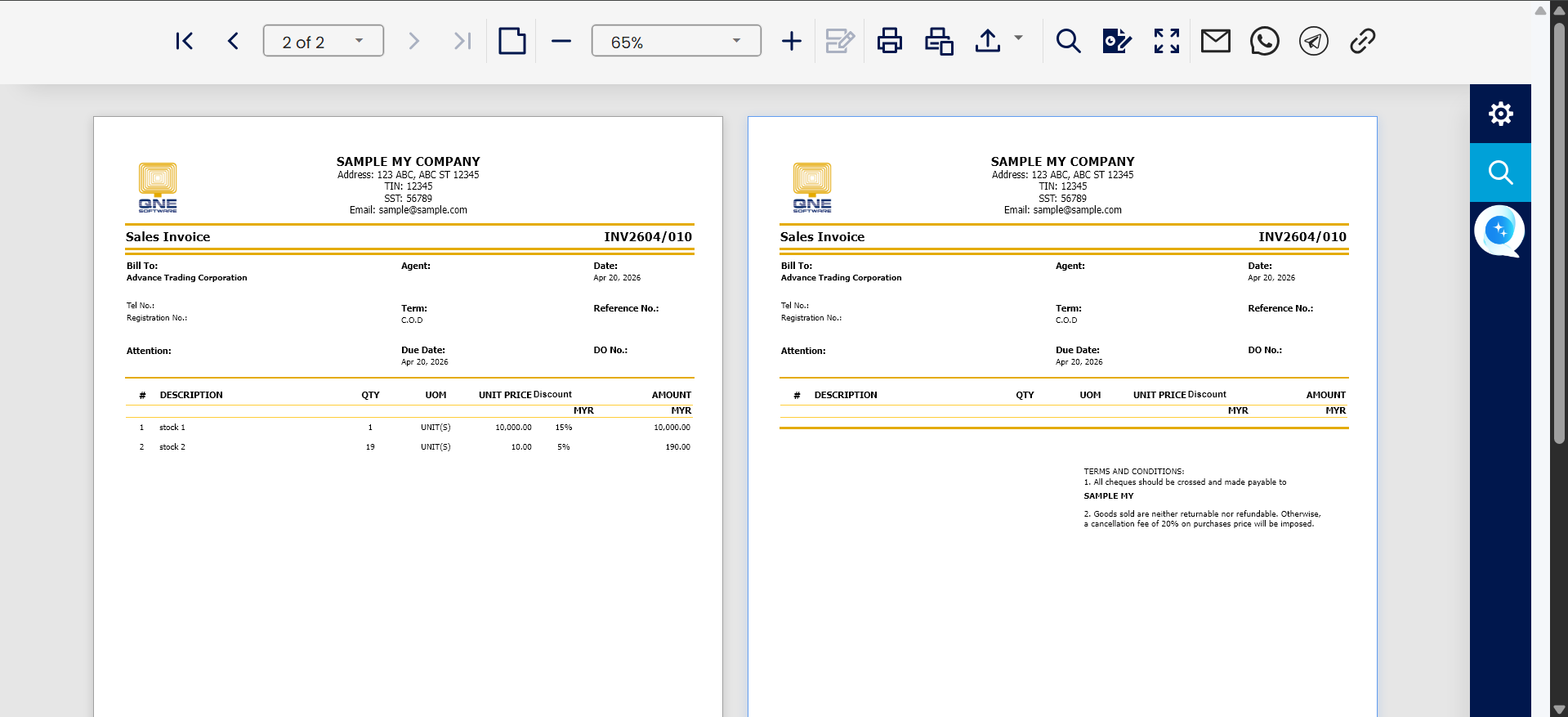
Solution:
In Report Designer, right click on the page and press Add Group Footer
Before
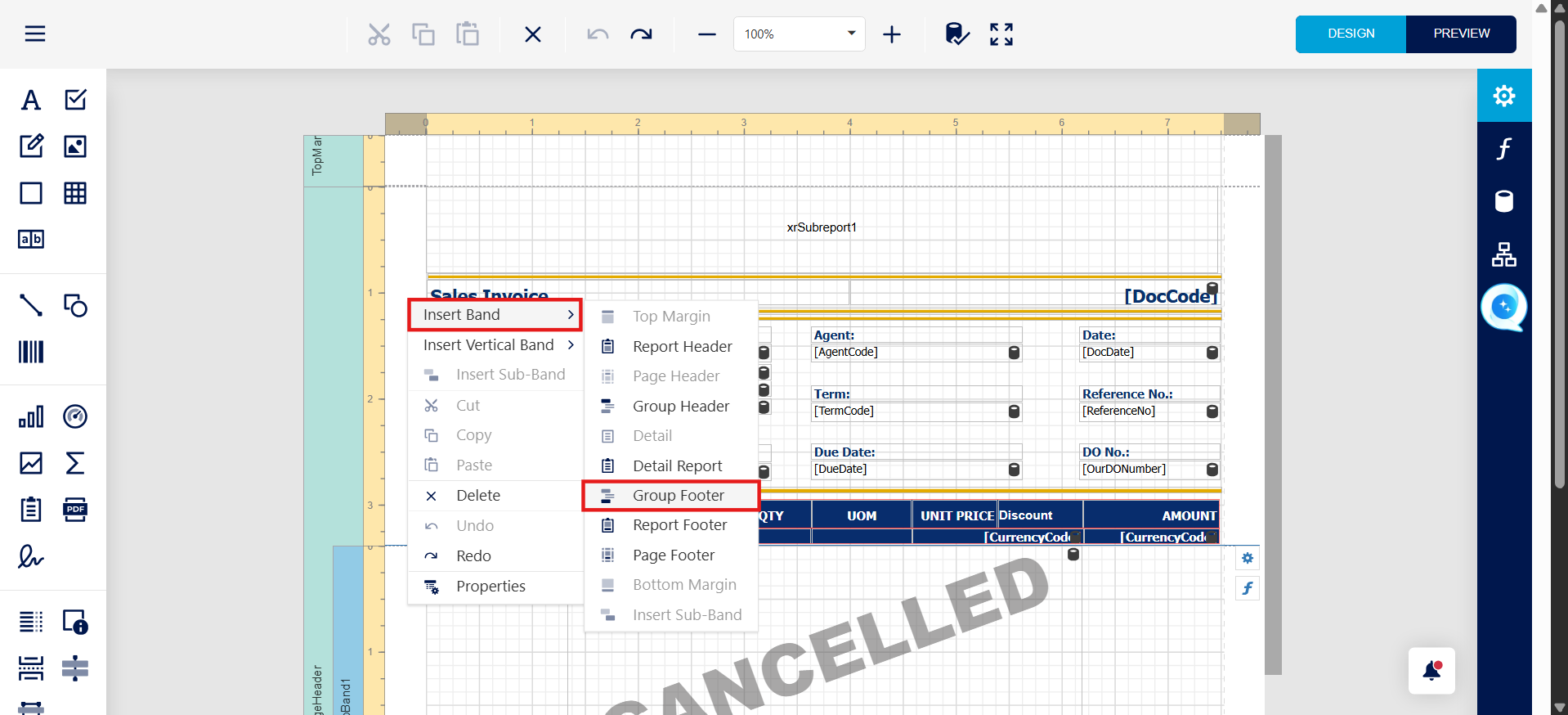
After
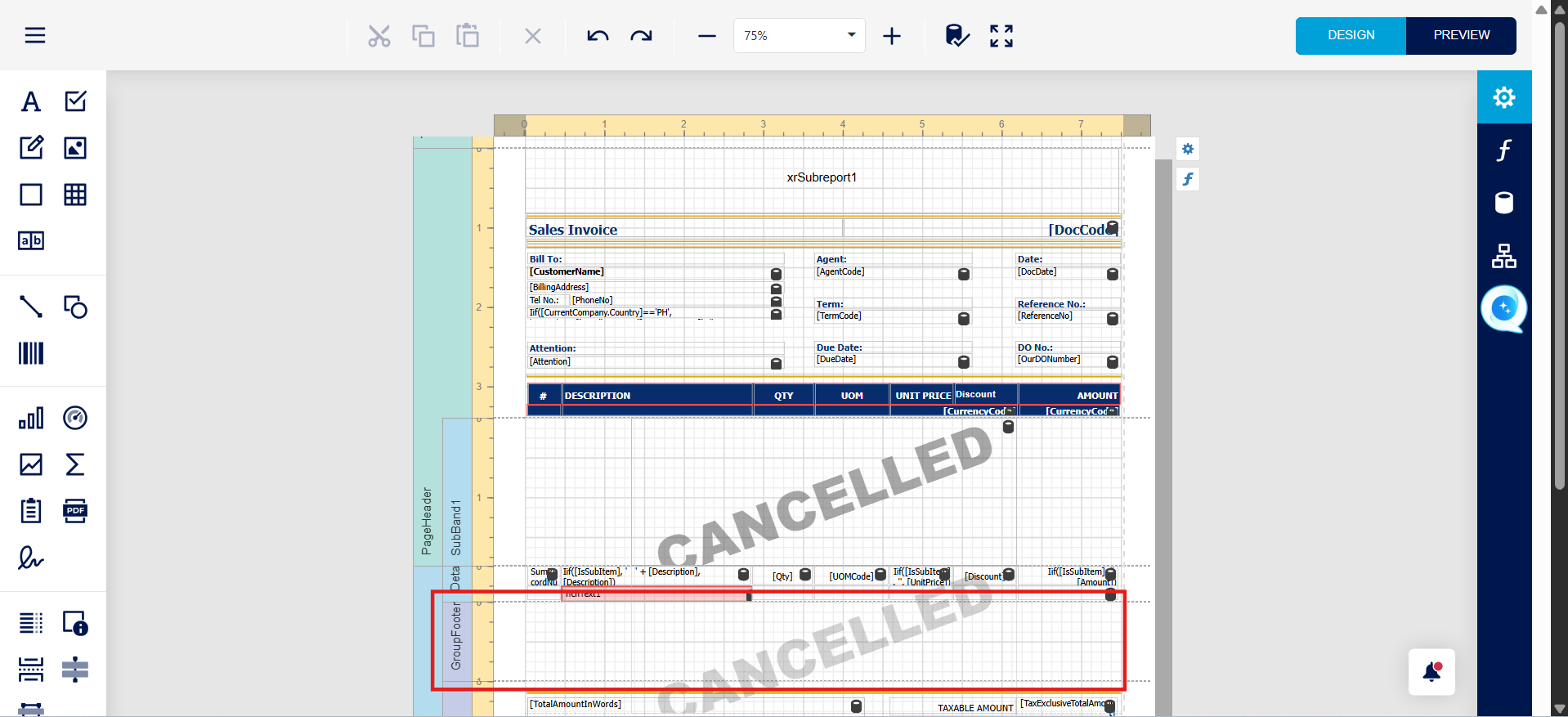
Please move all report footer content to group footer
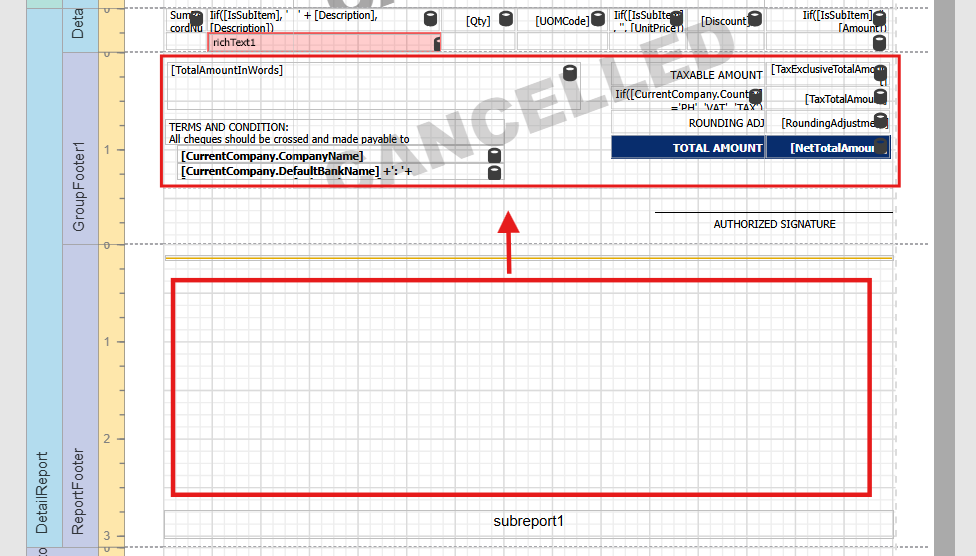
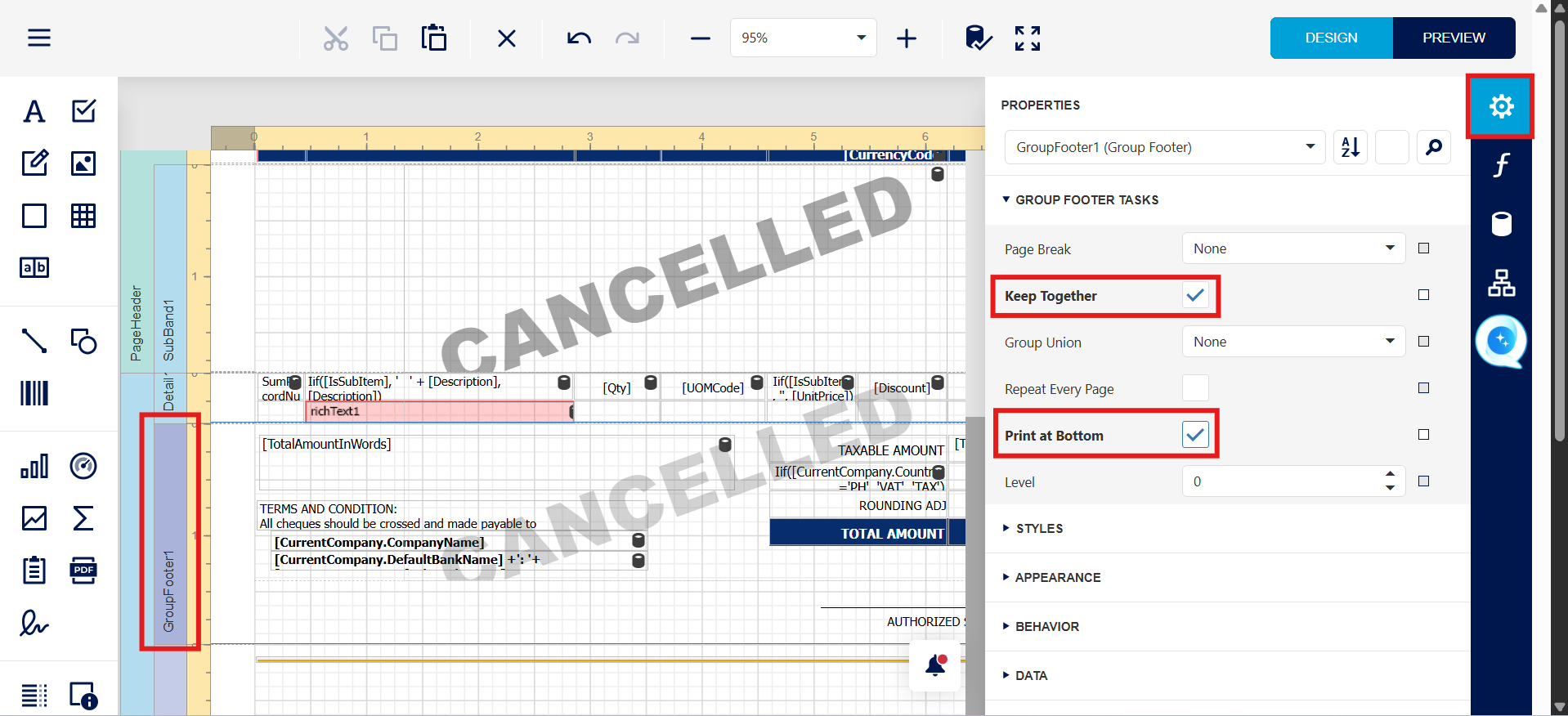
Then Press Group footer, tick Keep Together , tick Print at Bottom
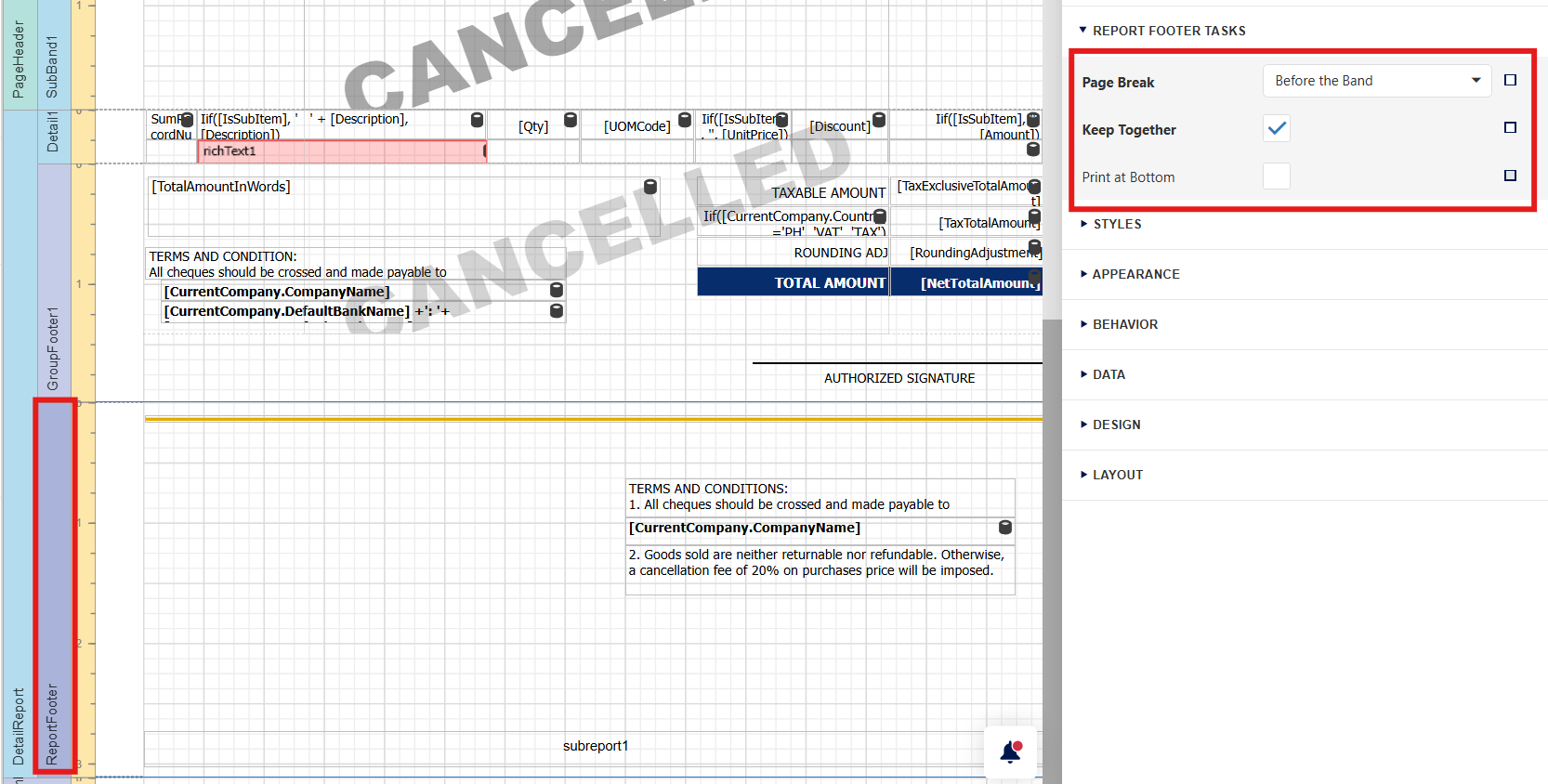
Then Press Report footer, Untick Print at Bottom, Page Break select Before the Band, then Copy Term and Condition put in Report footer
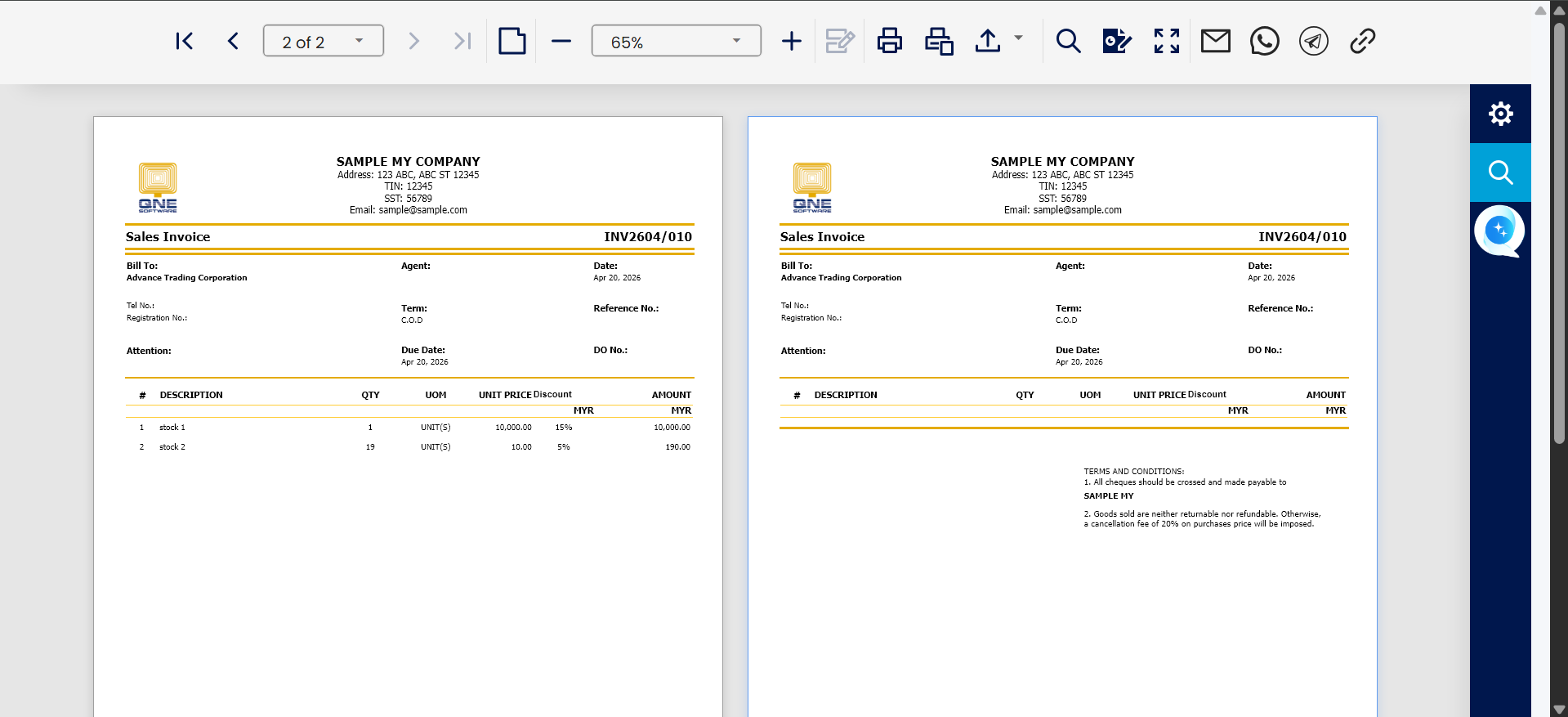
Result :
If user don't want report header display in 2nd Page
Press Add Report Header
Before
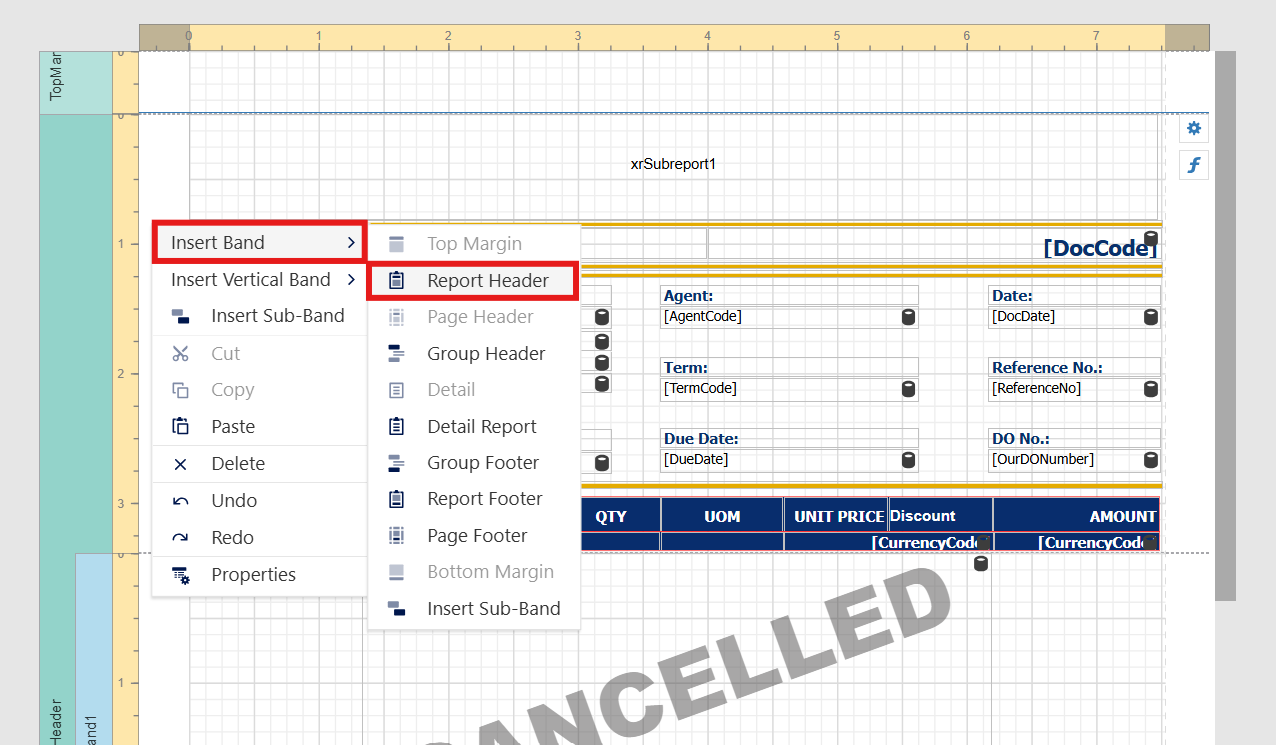
After, then Copy all the content from page header to Report Header, then delete Page Header
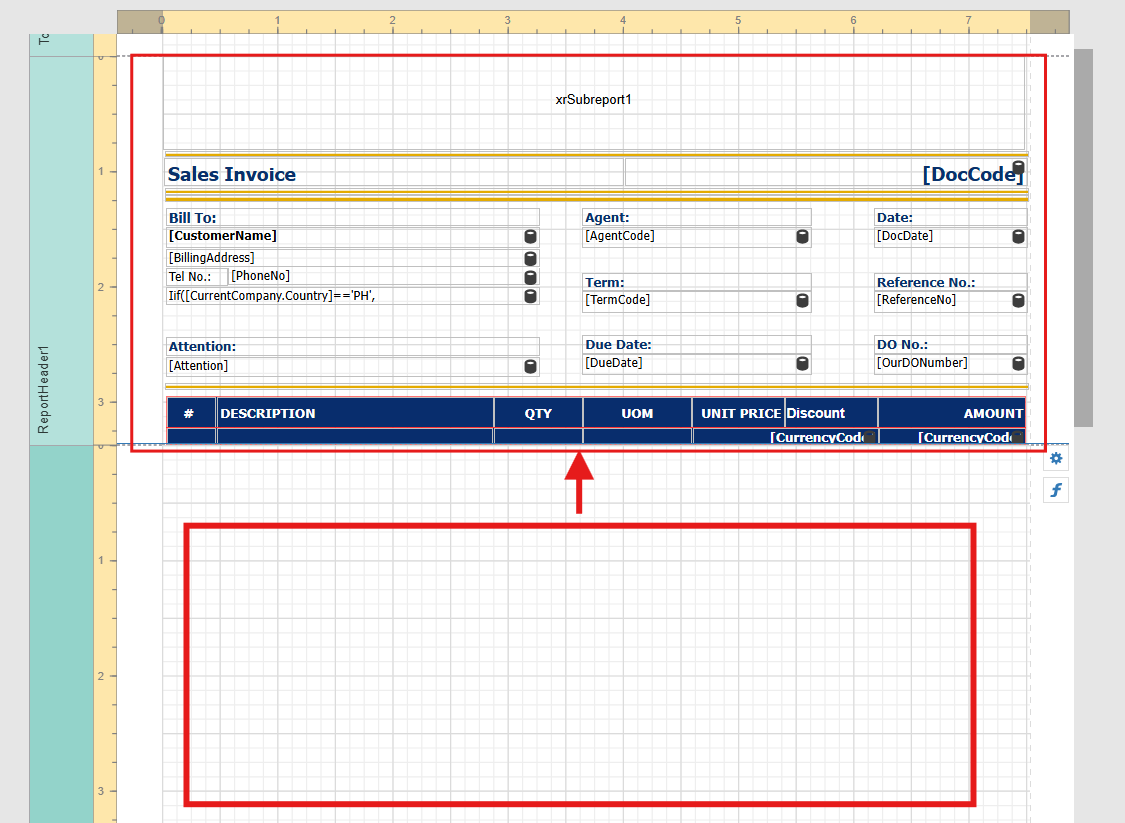
Delete Page Header
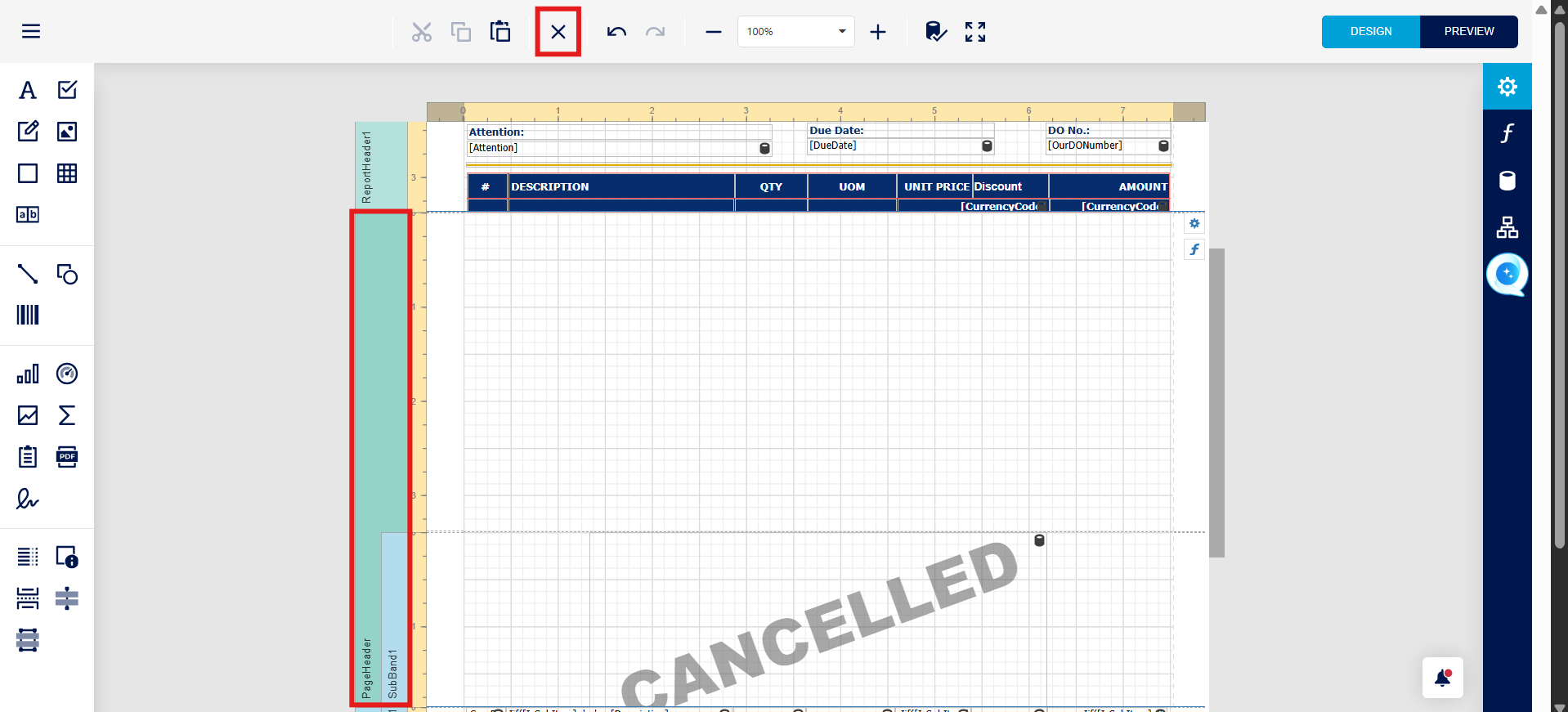
Save the Report, and test Preview
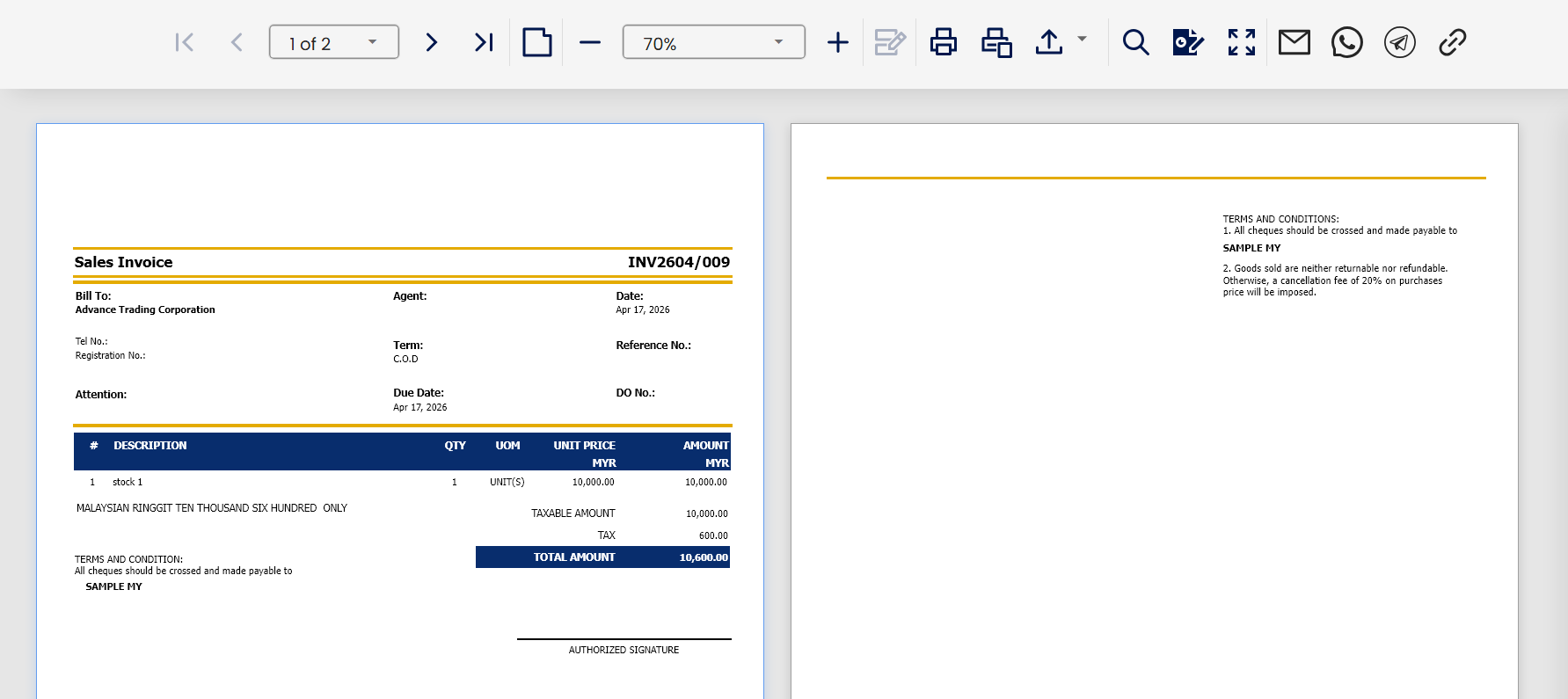
Result:
** Learn more about Azure Cloud
** Learn more about QNE Hybrid Cloud Software
System Scope: QNE AI Cloud Accounting / N3 AI Accounting
Was this article helpful?
That’s Great!
Thank you for your feedback
Sorry! We couldn't be helpful
Thank you for your feedback
Feedback sent
We appreciate your effort and will try to fix the article
