Scenario:
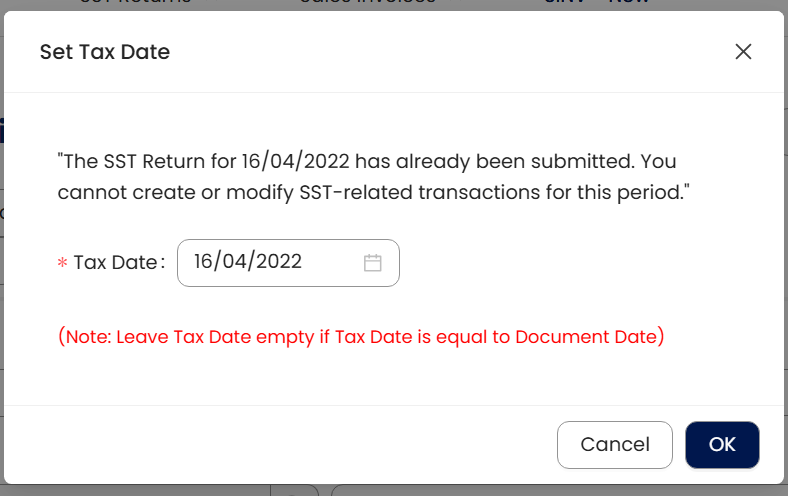
The user has already submitted the April SST return, but later discovered an invoice that was missed. When attempting to enter the transaction with a backdated date within the April period, the system prompts an error ‘The SST Return for 16/04/2022 has already been submitted. You cannot create on modify SST-Related transaction for this period’
This is due to the taxable period being locked after submission.
Solution:
Check the invoice date you want to create / modify. As the sample above, it is April 2025
Navigate to Tax > SST Return > Service (Click ‘Sales’ if your document is Sales Tax). You’ll notice that the taxable period for April is already marked as "Submitted". Since this period has been submitted, all transactions involving SST tax codes for this period are locked and cannot be edited.
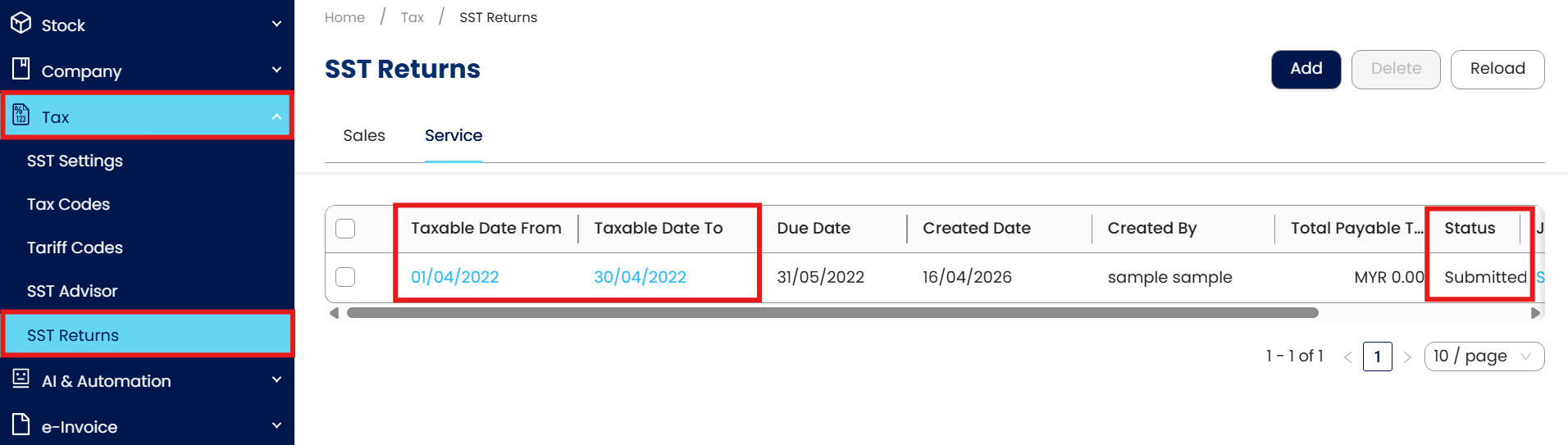
There are 2 solutions for this scenario.
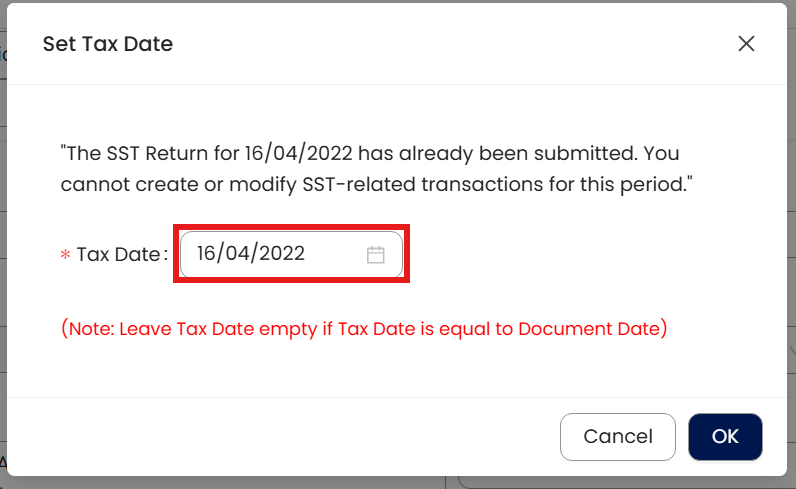
1st solution: If user want to backdated key-in a transaction that already submitted SST on April, user can update Tax Date on the other taxable month that yet to submit SST.
Date: Document Date
Tax Date: SST Submission Date
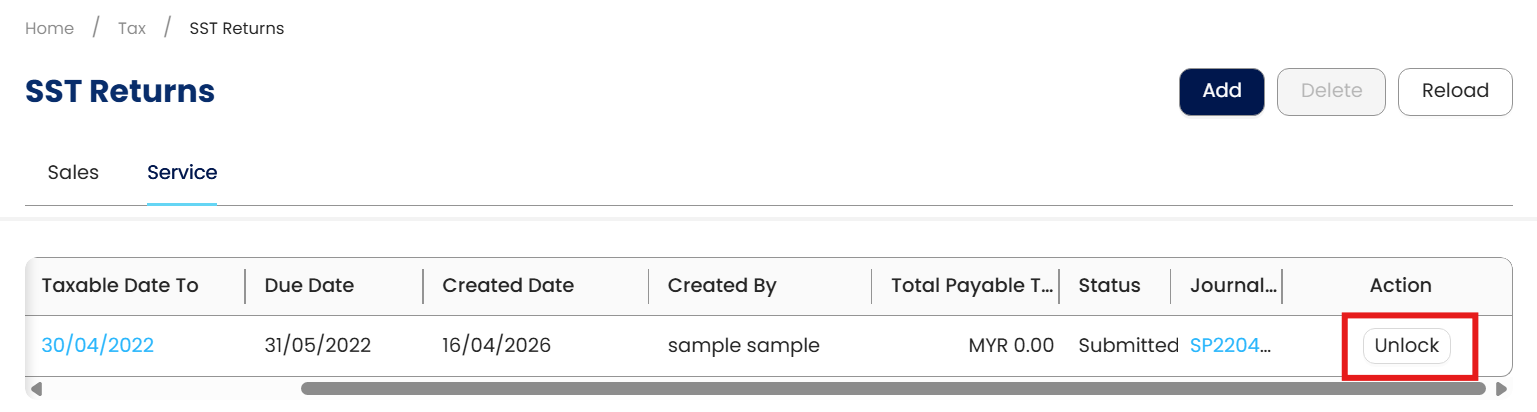
2nd solution: If user really wants to include backed dated document on April within April taxable period, user can click ‘Unlock’ in SST Returns.
Notice that there is Journal Entries been created since it is already submitted.
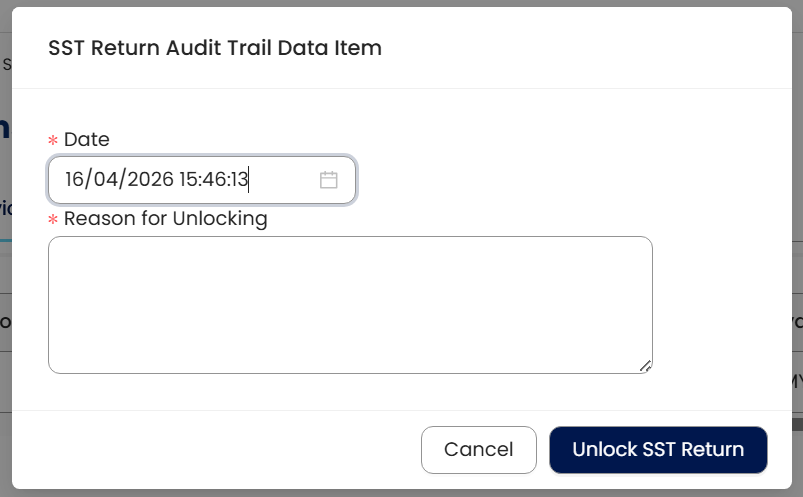
Update the reason in the column then click ‘Unlock SST Return’
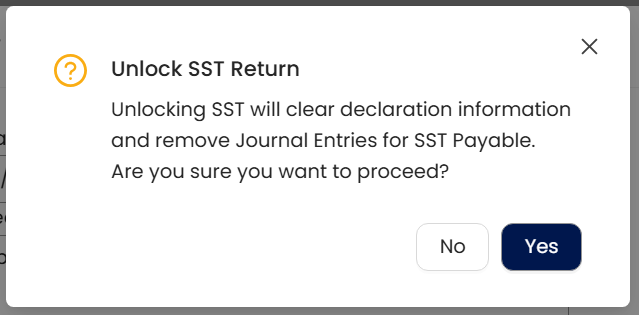
System prompts reminder message that Journal Entries that created will be removed. Click Yes to proceed.
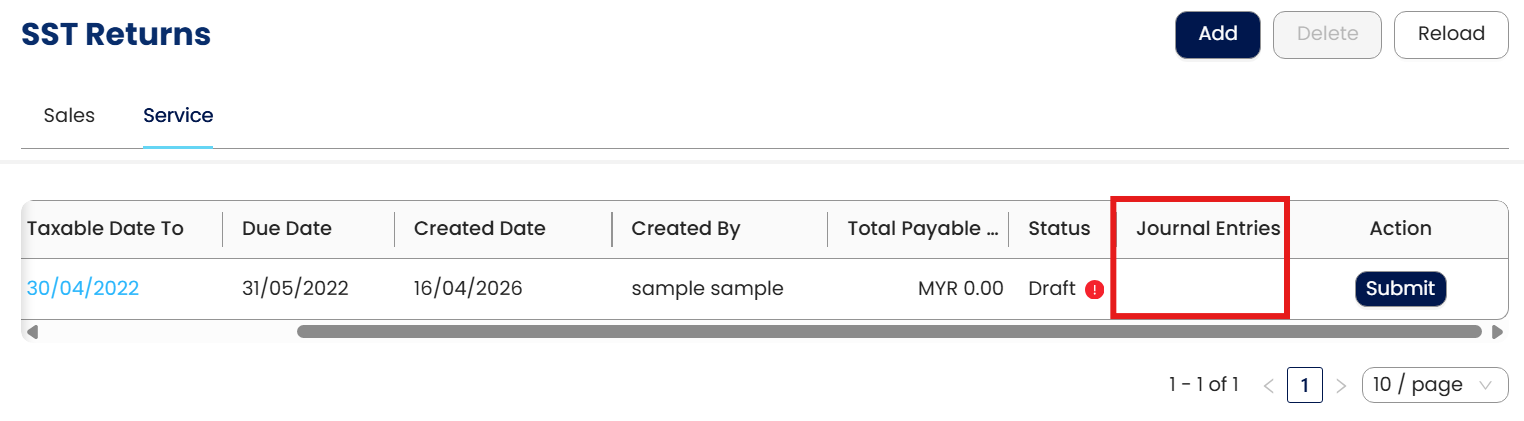
The journal will be removed, and the status will revert to Draft.
At this stage, the user may re-enter the document; however, please note that adding new entries may result in changes to the SST Total Payable amount, which could differ from the previously submitted figure.
System Scope: QNE AI Cloud Accounting / N3 AI Accounting
Was this article helpful?
That’s Great!
Thank you for your feedback
Sorry! We couldn't be helpful
Thank you for your feedback
Feedback sent
We appreciate your effort and will try to fix the article
