Overview
The Customer Knock-Off function is used to efficiently reconcile customer payment against their outstanding invoices. It allows the finance team to match receipts, credit notes, or overpayments directly with the corresponding invoices, ensuring that the customer’s account balance is accurate.
This features helps to:
Simplify account reconciliation - reduces manual calculations and errors
Maintain accurate customer balances - ensures the ledger and customer aging reports match
Improve reporting and audit readiness - provides clear documentation of which payments or credit notes have been applied
Handle partial or full payments - allows flexibility when customers pay in installments or use credit notes
In essence, the Customer Knock-Off process ensures that customer accounts are
up-to-date, reliable and ready for reporting or auditing any time.
Scenario (Example)
Your company received a payment of RM7600 from a customer, Advance Trading Corporation, who has several outstanding invoices. You need to apply this payment to the open invoices while also using a credit note amount RM510. The goal is to clear the customer’s outstanding balance and ensure their account is up-to-date.
Kindly ensure you have issued:
Sales Invoice
Credit Note
Official Receipt
Solution
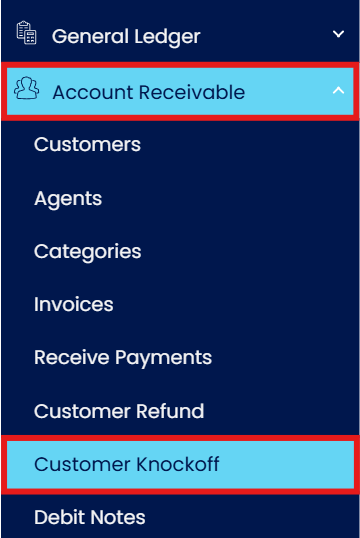
Go to Account Receivable > Select Customer Knock Off
On the Customer Knock Off page, go to Customer field and choose the customer account/name.
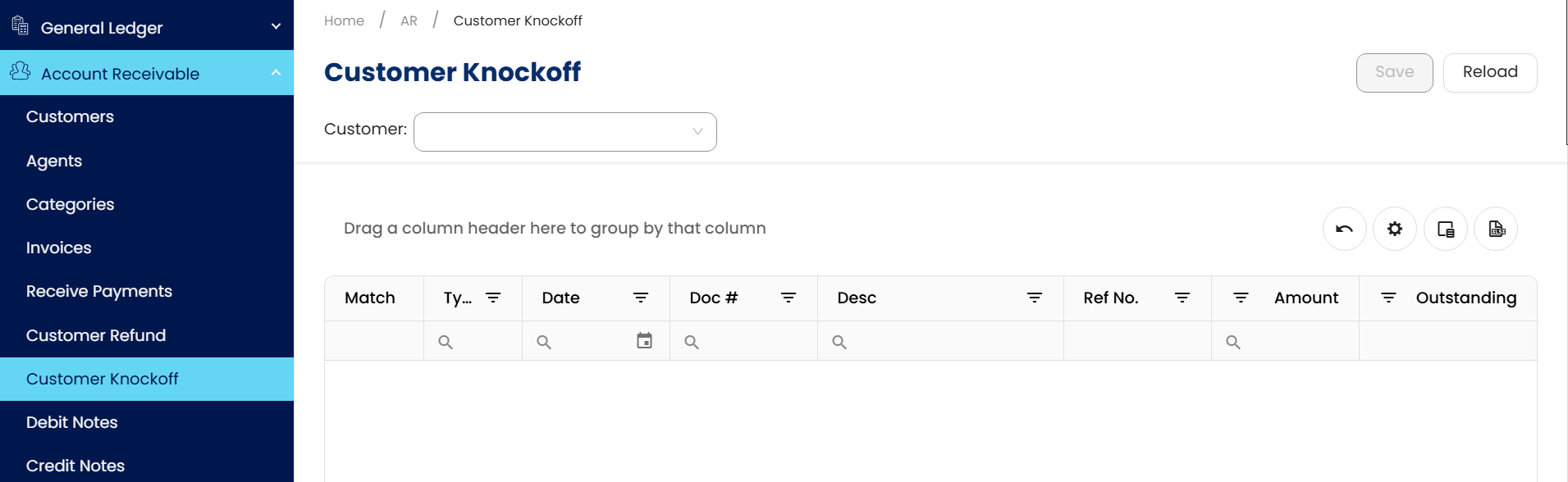
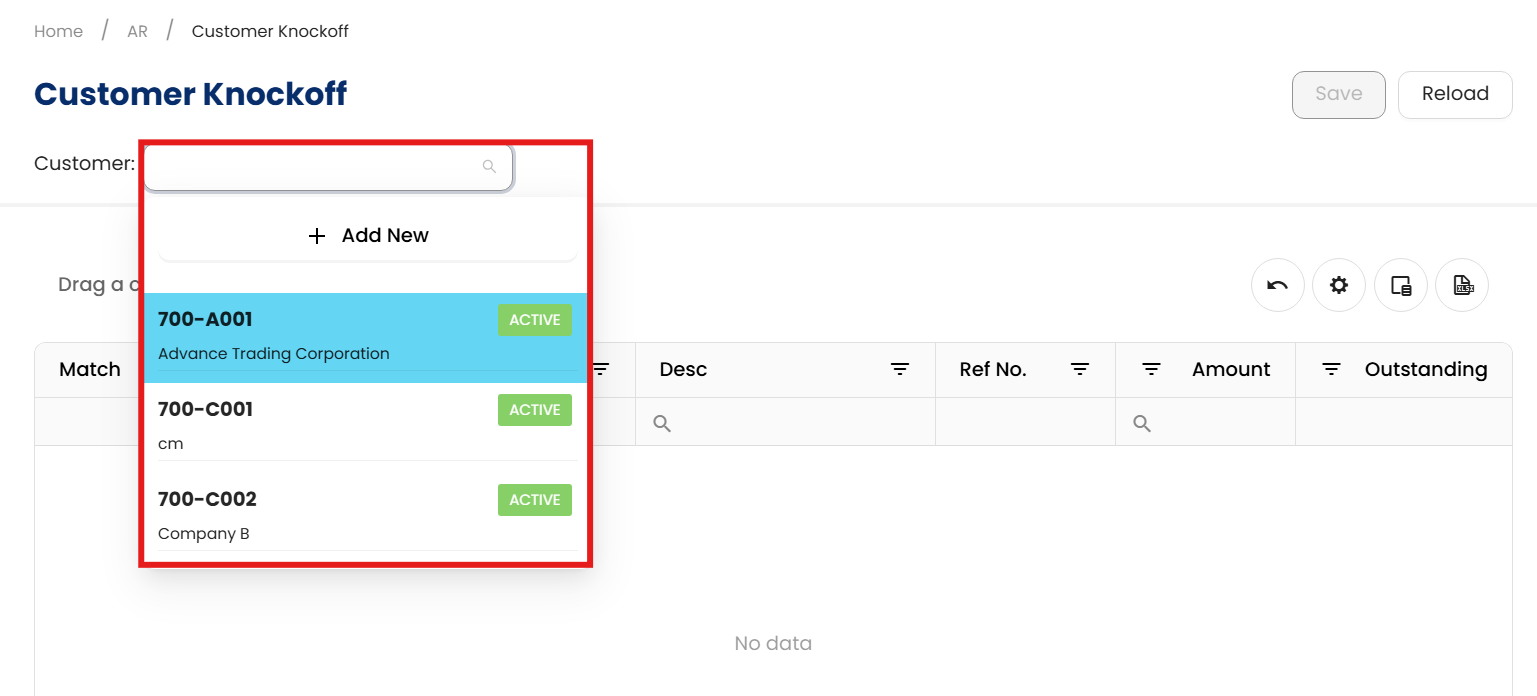
Once you’ve selected the Customer Name/Account, Top Section will display the Official Receipts or Credit Note that has been issued for the customer. On the Bottom Section will list all of the outstanding invoices.
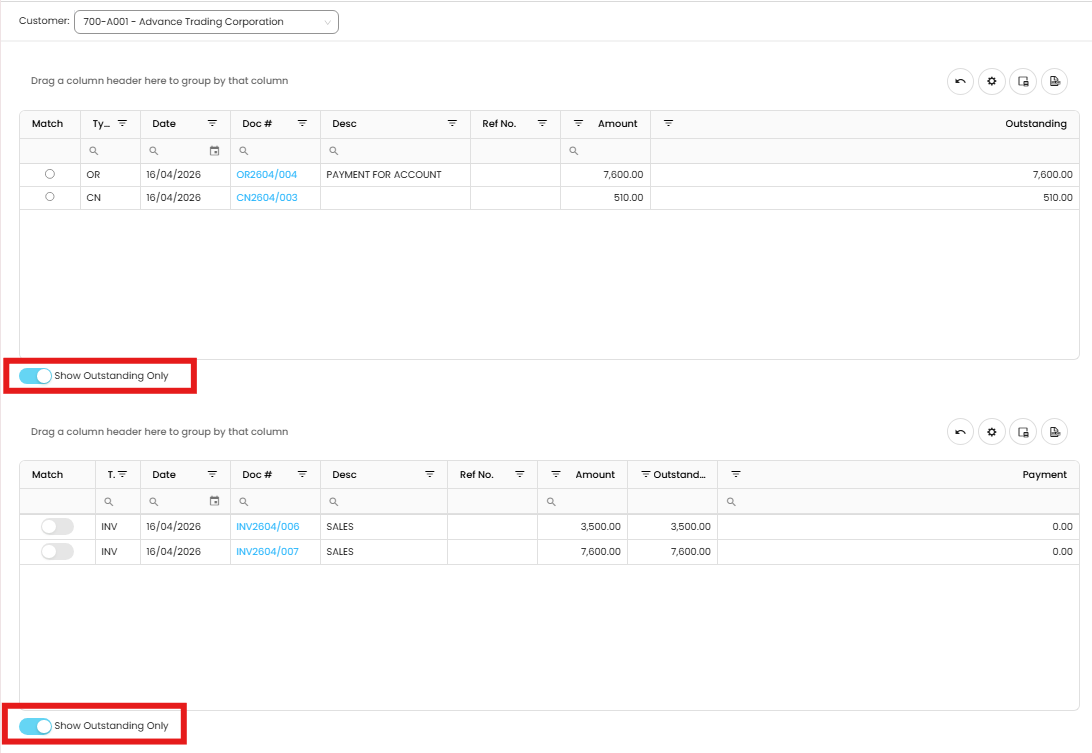
Note: Please ensure to toggle on the ‘Show Outstanding Only’
We will match Credit Note amount RM510 to an invoice. Select CN2603/001 to match with INV2101/001. Once matched, click on the Save button on the top.
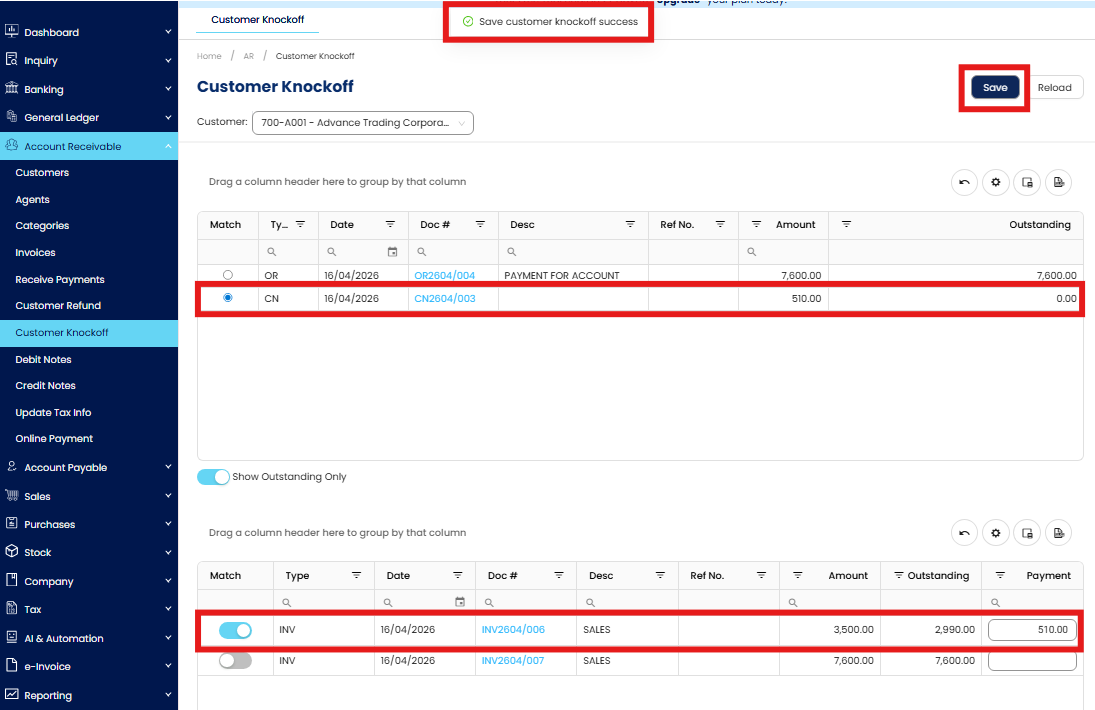
After you’ve done with the knock off, please ensure to reload the customer knock off to get the updated document list.
Next, we’ll knock off between OR (official receipt) and sales invoice - full knock off transaction. Select on the OR and Invoice to match & save.
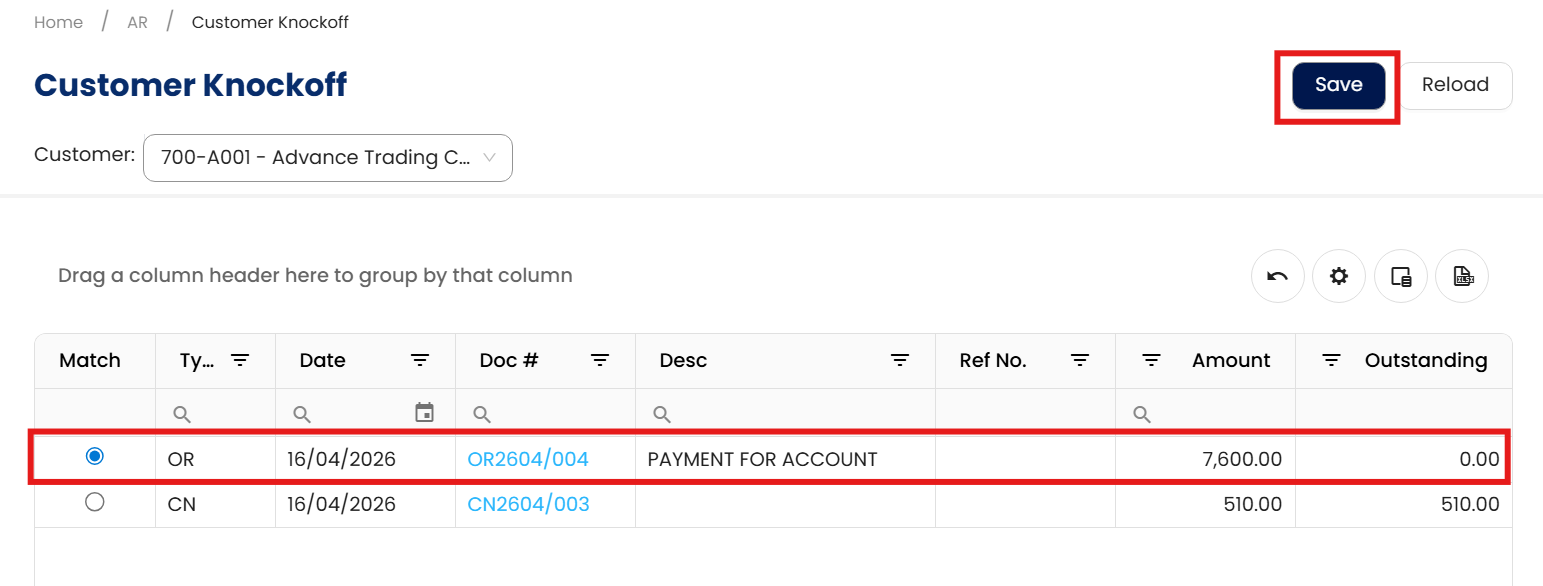
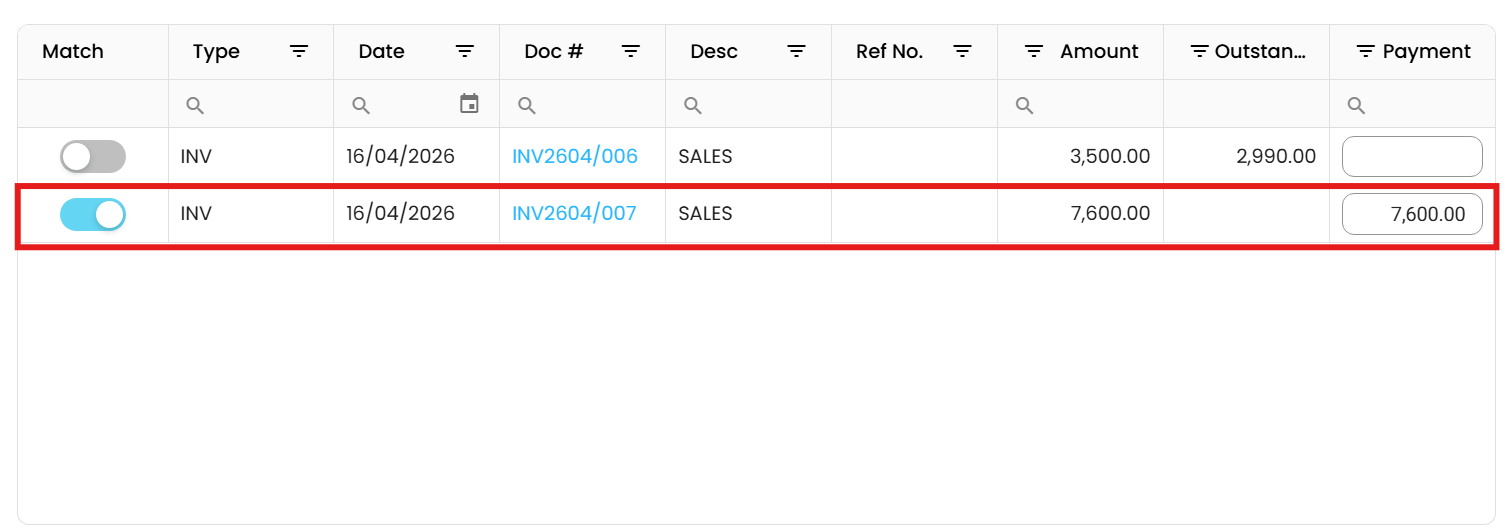
Done!
Application
Using the Customer Knock-Off feature helps maintain accurate customer accounts by ensuring payments are properly applied and credit notes or advances are utilized effectively, keeping the accounts receivable process efficient and free from errors.
** Learn more about Azure Cloud
** Learn more about QNE Hybrid Cloud Software
System Scope: QNE AI Cloud Accounting / N3 AI Accounting
Was this article helpful?
That’s Great!
Thank you for your feedback
Sorry! We couldn't be helpful
Thank you for your feedback
Feedback sent
We appreciate your effort and will try to fix the article
