Overview
The Fixed Asset Three Column Report provides a structured summary of all company assets by presenting three key financial components: Cost, Accumulated Depreciation, and Net Book Value (NBV).
This report is designed to give users a clear snapshot of the asset position as of a selected date. It helps users quickly understand:
The original purchase value of each asset
The total depreciation charged to date
The remaining book value after depreciation
By displaying these three columns side by side, the report makes it easier to monitor asset
movement, verify depreciation accuracy, and support financial reporting. It is commonly
used for management review, audit preparation, and year-end closing to ensure asset
balances are accurate and properly recorded.
Overall, the Fixed Asset Three Column Report serves as a concise and reliable reference for
tracking and reviewing the company’s fixed asset status.
Scenario
Your finance team is preparing the monthly reports and requires an up-to-date overview of
fixed assets as of March 22, 2026. The report should:
Include assets from all projects
Display assets with zero balances
Be exported for audit and documentation purposes
This ensures a comprehensive snapshot of the company’s asset position for reporting and compliance needs.
Solution
Navigate to the Report
Select Reporting > Report Center > General Ledger Tab > Fixed Asset Accounts > Fixed Assets Three Columns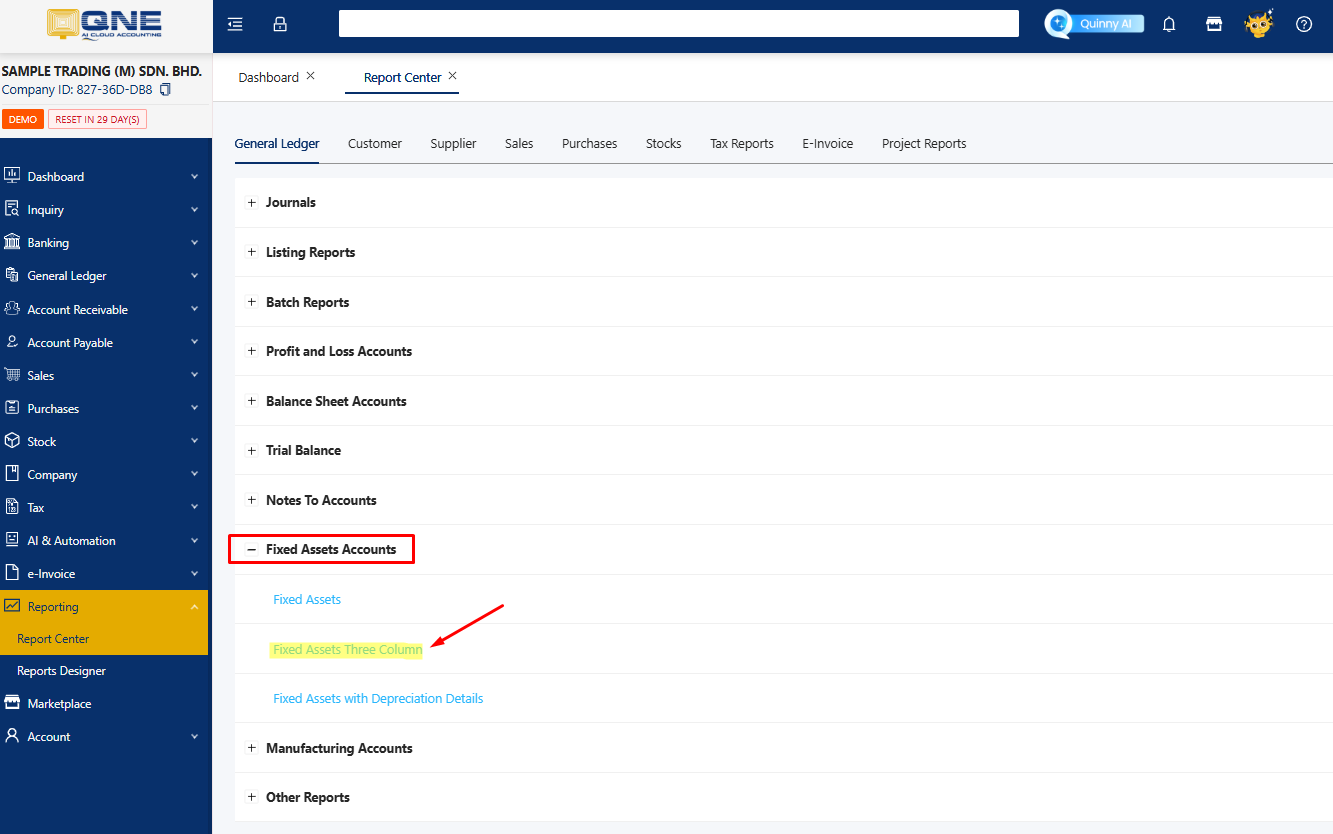
In the Report Criteria Window, set the filters :
➢ As of Date - Select the cut-off date (eg: Mar 22, 2026)
➢ Projects - Choose All Projects, No Projects, Main Projects or Sub Project
depending on reporting needs.
➢ Select Options - Include Zero (To display assets with zero balances, fully
depreciated assets)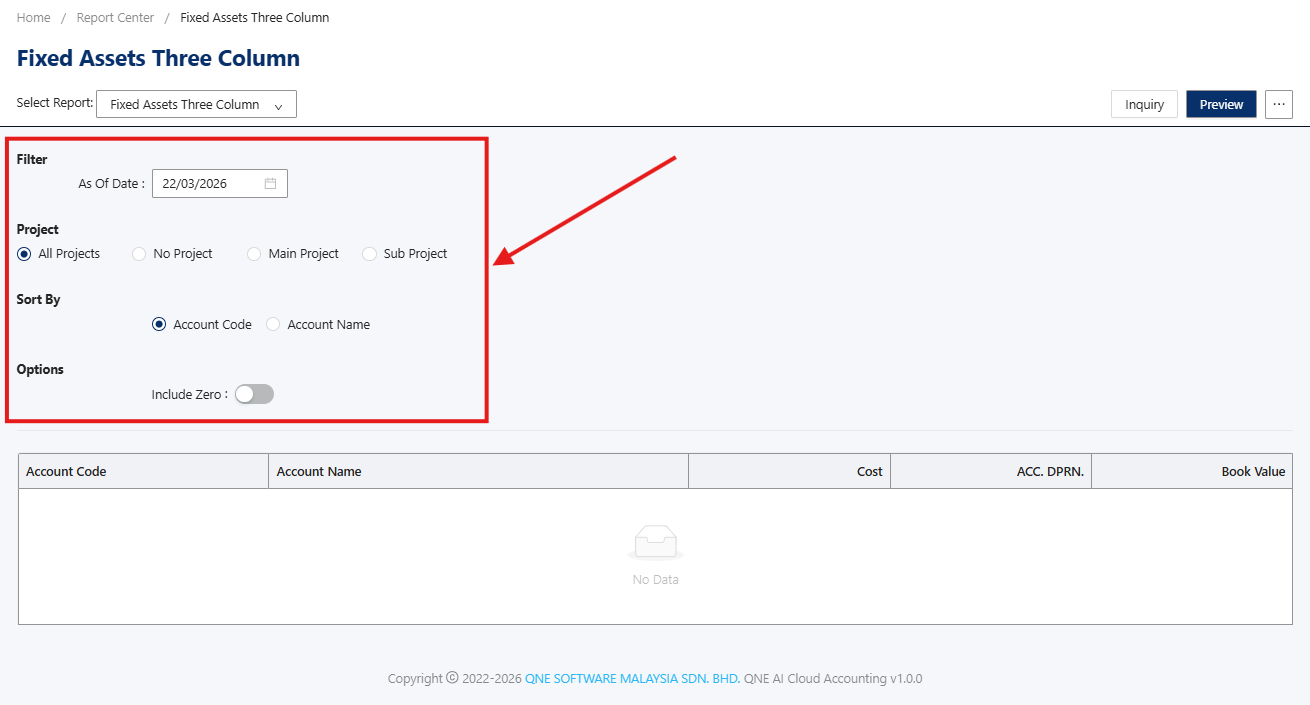
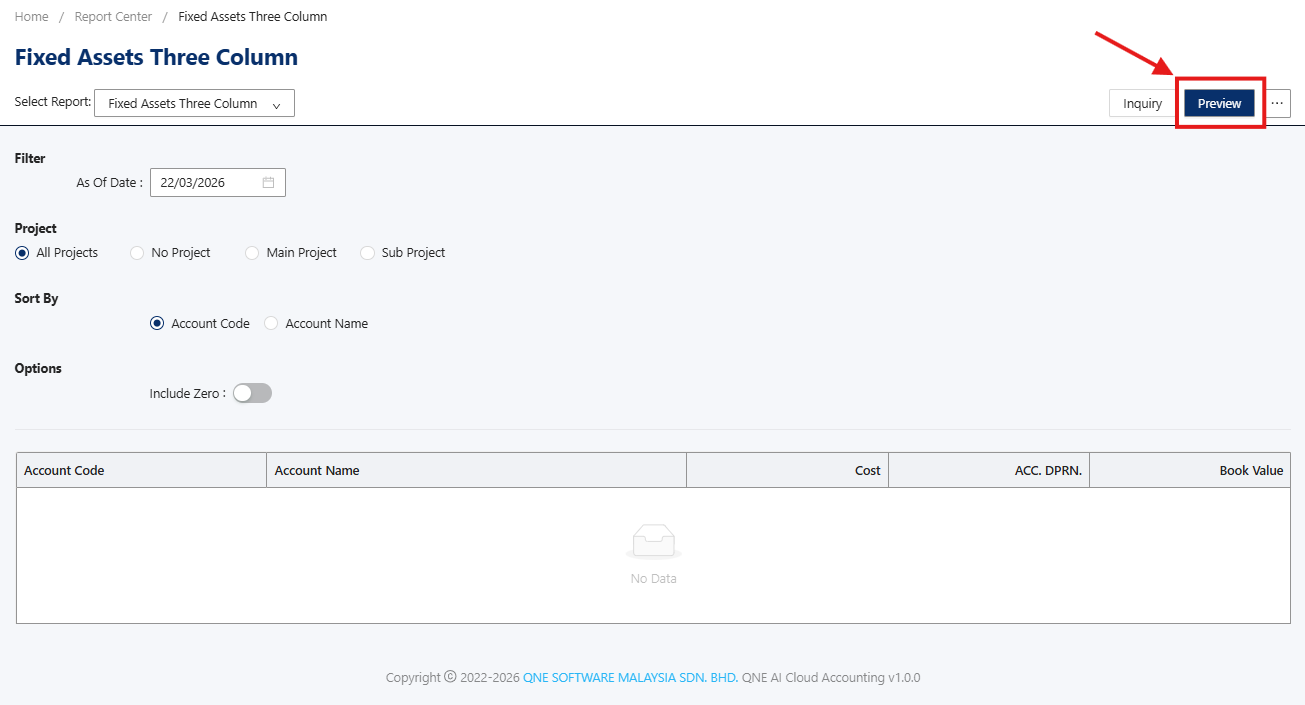
Next, you can proceed to generate the report. Click the Preview button to generate the report on-screen
Note: You may select on the Inquiry button to quickly view results on the same tab window.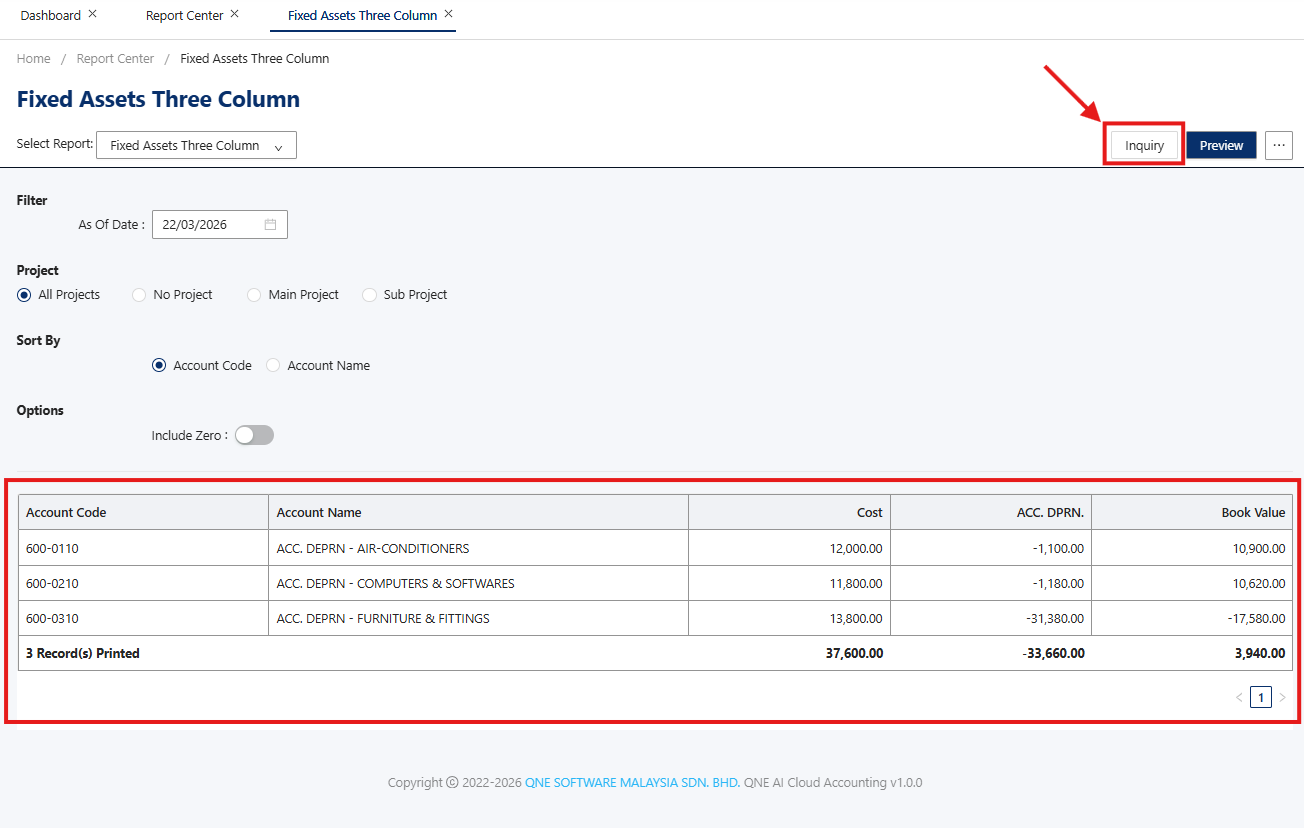
The report provides the following details:
➢ Account Code: Unique identifier for each fixed asset
➢ Account Name: Descriptive name of the asset
➢ Cost: Original acquisition cost
➢ Accumulated Depreciation - Total depreciation recorded up to the reporting date
➢ Book Value - Net Value (Cost - Accumulated Depreciation)
Done!
** Learn more about N3 - AI Cloud Accounting
Was this article helpful?
That’s Great!
Thank you for your feedback
Sorry! We couldn't be helpful
Thank you for your feedback
Feedback sent
We appreciate your effort and will try to fix the article
