What’s New
✨1. e-Invoice Module: Enhanced Multiple MSIC Codes for e-Invoice
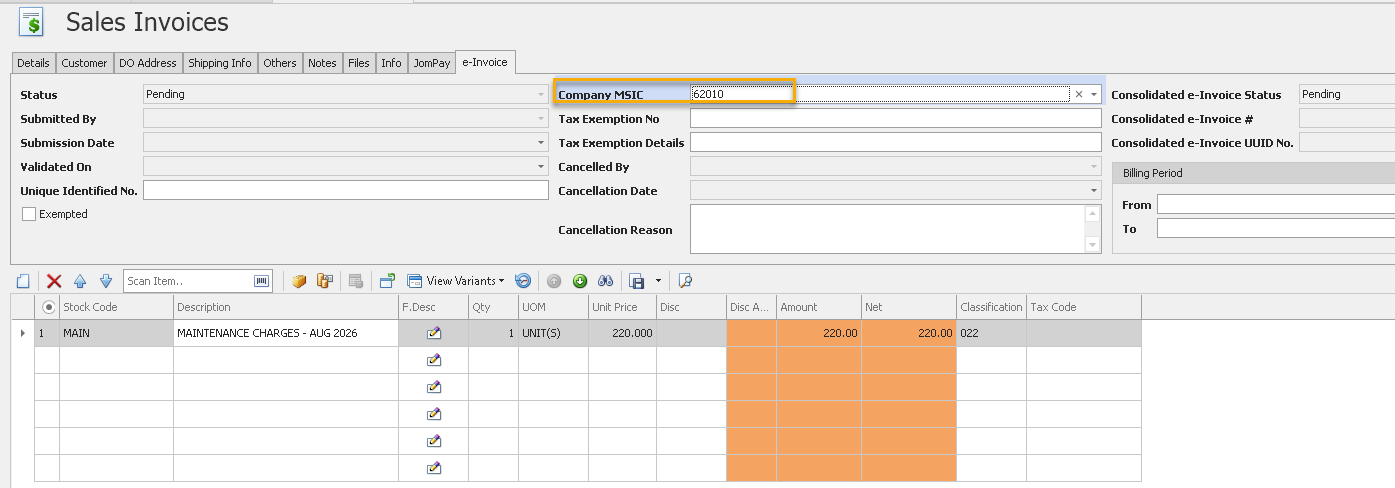
- Added multiple MSIC Codes in the Company Profile.
- Users can register multiple MSIC Codes and define a default MSIC Code for the company.
- The default MSIC Code is automatically populated in e-Invoice transactions, while users can select a different MSIC Code when required.
- For complete guidance on using this feature - Click HERE
✨2. e-Invoice Module: Enhanced Grouping of Multiple Stock Locations for Consolidated e-Invoice
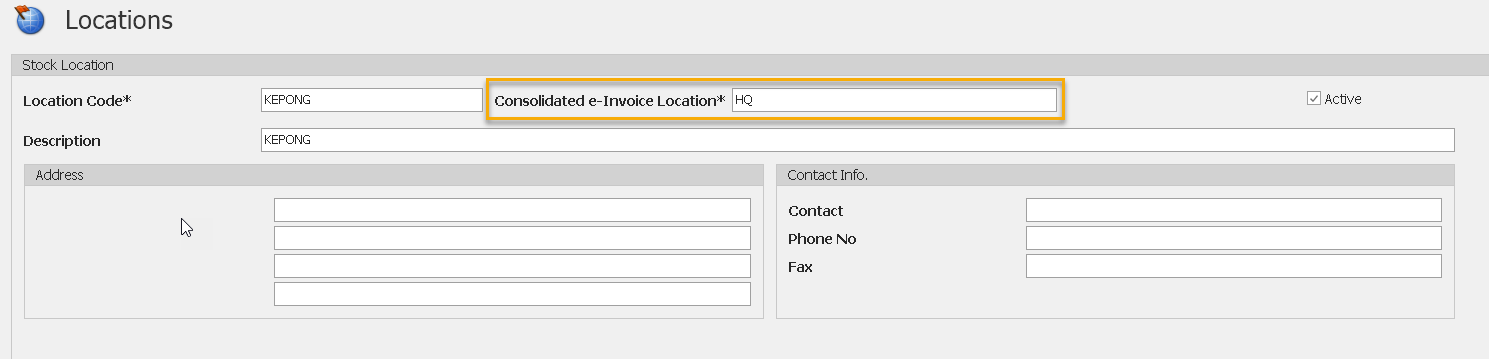
- Added support for grouping multiple stock sub-locations under a single Consolidated e-Invoice Location.
- Users can map multiple sub-locations (e.g., Warehouse, Bad Stock, Temporary Location) to a common parent location for e-Invoice submission.
- Consolidated e-Invoices are generated based on the defined Consolidated e-Invoice Location, reducing unnecessary separate submissions.
- Improves accuracy and simplifies e-Invoice reporting by reflecting the actual physical business locations during consolidated submission.
- For complete guidance on using this feature - Click HERE
✨3. e-Invoice Module: Submission Date Control
- Added new Submission Date Control settings for e-Invoice submissions.
- Users can limit e-Invoice submissions to documents with a Document Date that is no more than 3 days backdated.
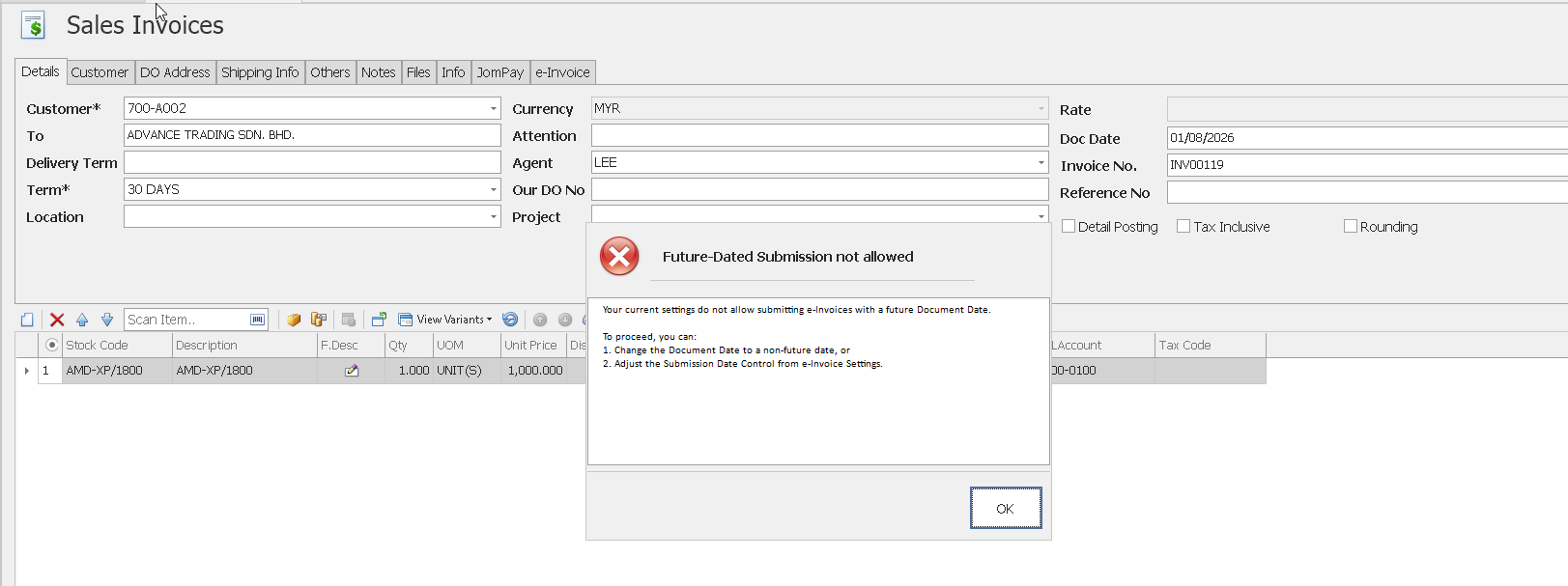
- Added an optional Block Future Date setting to prevent submission of e-Invoices with future document dates.
- If a document falls outside the permitted date range, the system blocks the submission and prompts users to update the document date or adjust the submission settings.
- Provides greater control over e-Invoice submission dates and helps ensure compliance with company submission policies.
- For complete guidance on using this feature - Click Here
✨ 4. e-Invoice Module: Enhanced e-Invoice Advisor for Self-Billed Suppliers
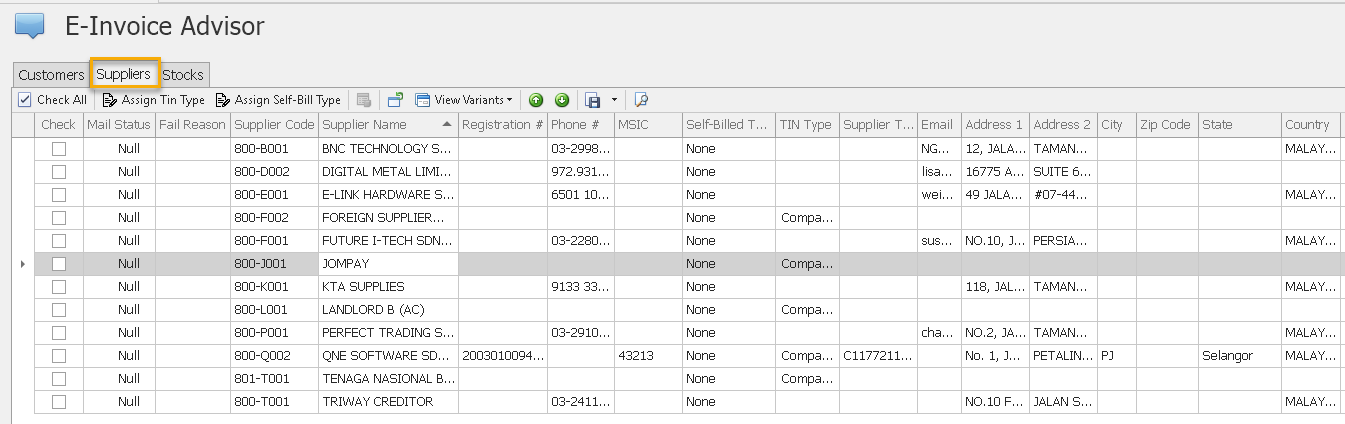
- Added a new batch update function in e-Invoice Advisor to assign Self-Billed Type and TIN Type for multiple suppliers simultaneously.
- Enables users to update supplier e-Invoice information in bulk, eliminating the need for individual maintenance.
- Helps ensure supplier records contain the required information for Self-Billed e-Invoice processing.
- For complete guidance on using this feature - Click Here
Also See:
Was this article helpful?
That’s Great!
Thank you for your feedback
Sorry! We couldn't be helpful
Thank you for your feedback
Feedback sent
We appreciate your effort and will try to fix the article
