What’s New
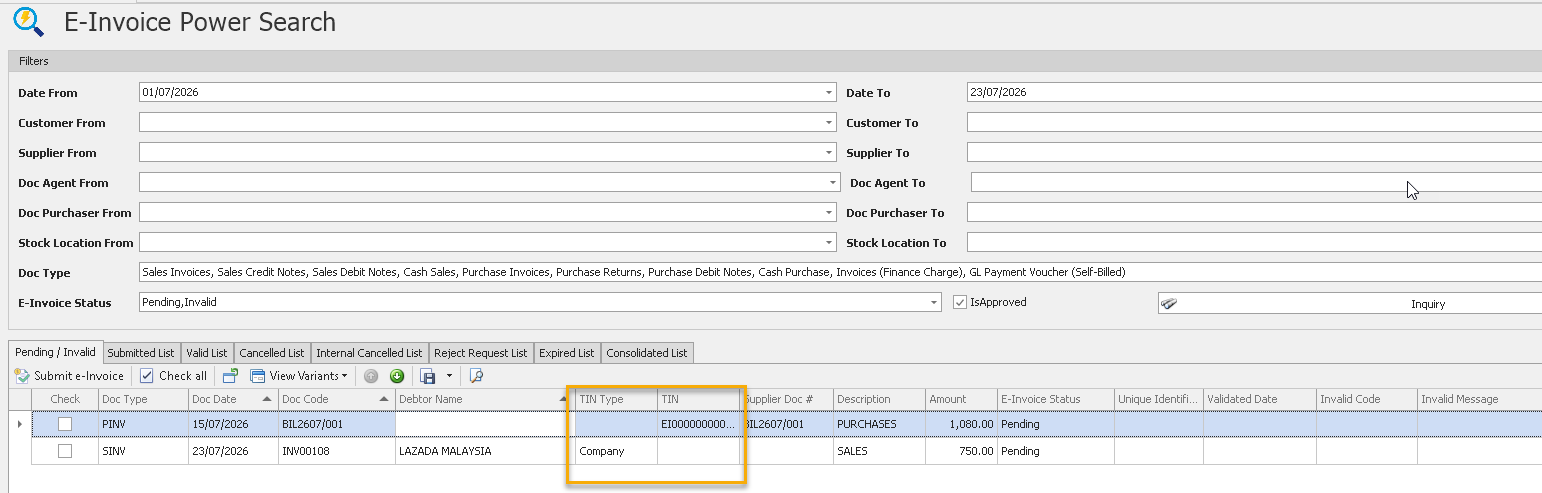
✨1. e-Invoice Module: Enhanced Customer & Supplier TIN in e-Invoice Power Search
- Added Customer TIN and Supplier TIN columns to the e-Invoice Power Search results.
- Users can now view Tax Identification Numbers (TIN) directly from the search results without opening individual transactions.
✨ 2. Batch Module: Sent Email for Validated e-Invoices
- Added support for sending validated e-Invoices to customers via batch email.
- Users can select multiple validated e-Invoices and send them in a single operation.
- The system automatically includes the validated e-Invoice and related document attachments when sending emails.
- Reduces manual effort, improves communication efficiency, and streamlines the distribution of validated e-Invoices to customers.
- For complete guidance on using this feature - Click HERE
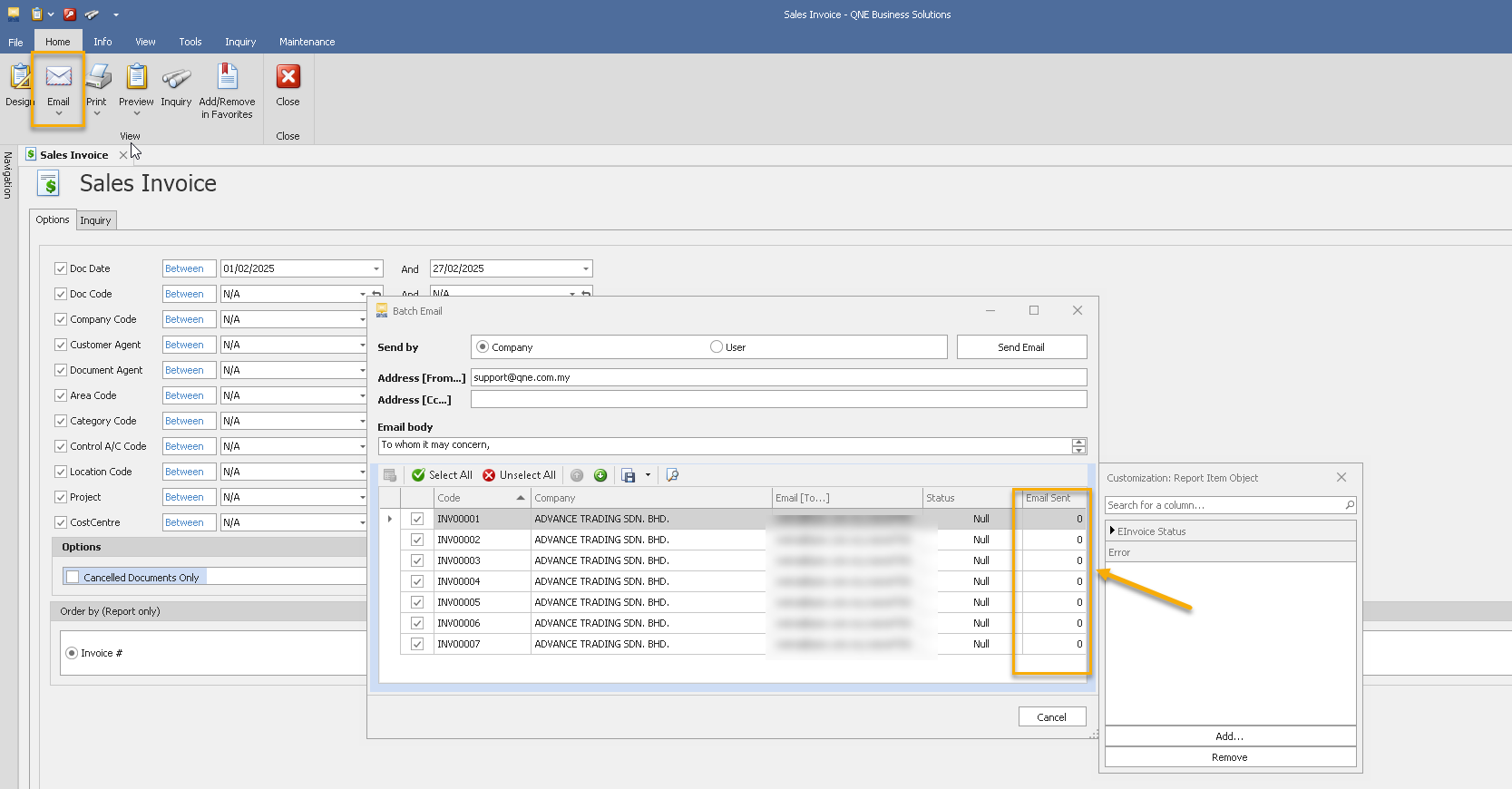
✨ 3. Batch e-mail Module: Enhanced Batch Email Distribution Tracking for e-Invoice sent
- Added the ability to track the number of times an invoice has been sent through the Batch Email Distribution module.
- Users can view the email send count for each invoice, providing greater visibility into email distribution activities.
- For complete guidance on using this feature - Click HERE
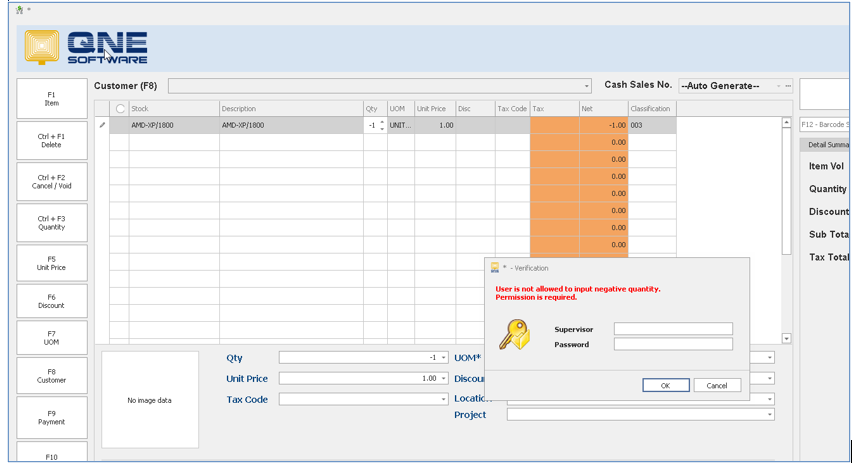
✨4. POS Module: Enhanced Negative Quantity Control in POS Module
- Added a new option to control negative quantity entry in the POS module.
- Users can configure the system to prevent transactions that result in negative item quantities.
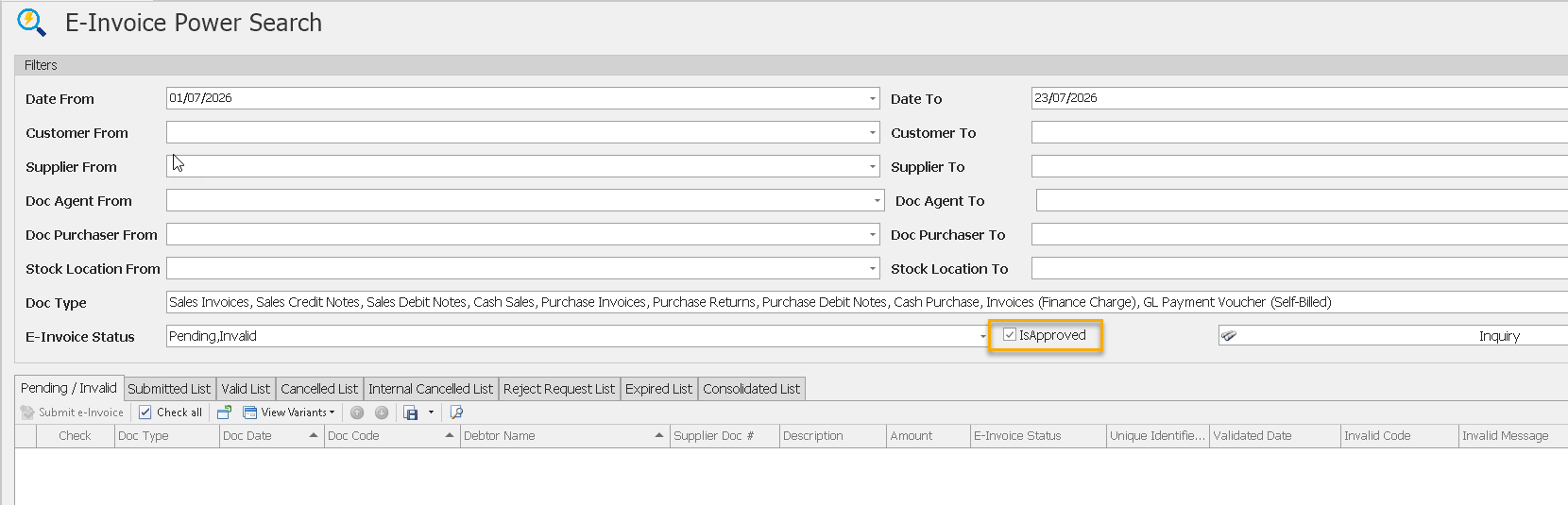
✨5. Billing Approval Module: Enhance IsApproved Status in e-Invoice Power Search
- Added the IsApproved column to the e-Invoice Power Search screen.
- Users can view the Billing Approval status of transactions directly from the search results.
Also See:
Optimum Release Notes: 2025.1.4.2
Was this article helpful?
That’s Great!
Thank you for your feedback
Sorry! We couldn't be helpful
Thank you for your feedback
Feedback sent
We appreciate your effort and will try to fix the article
