What’s New
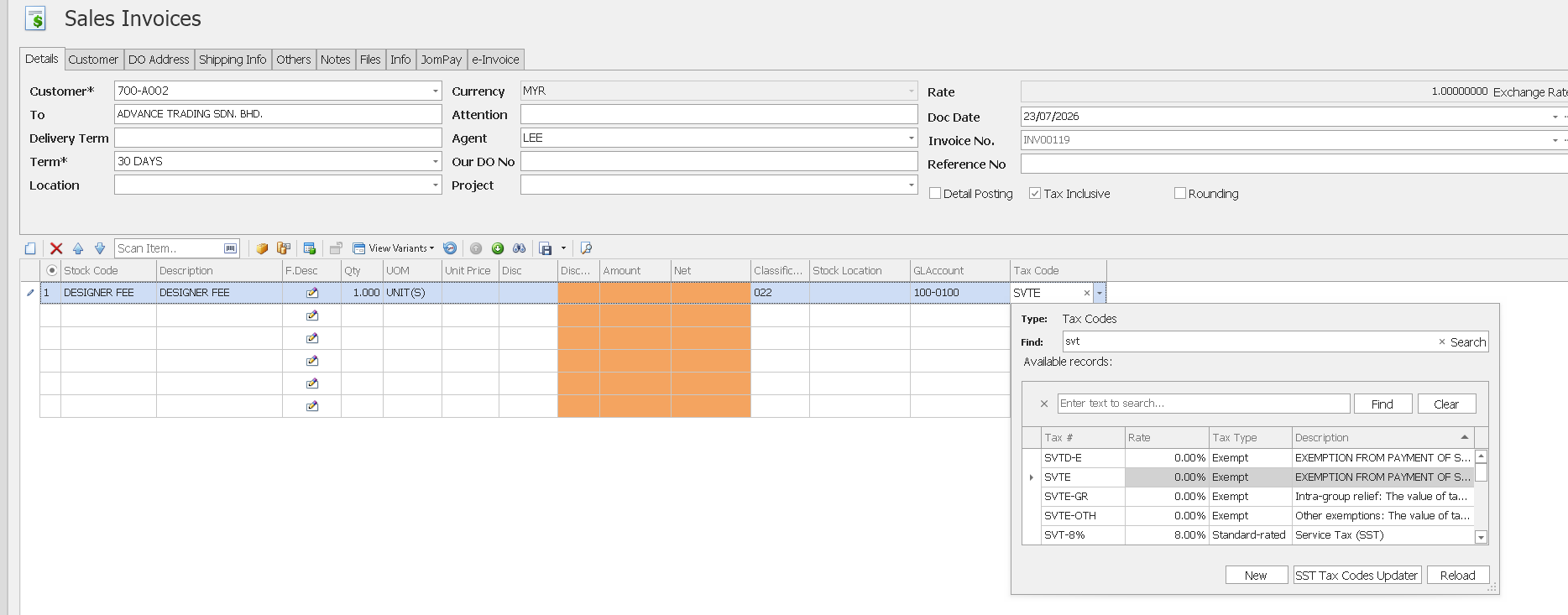
✨ 1. SST Module: Enhanced Exempted Rate and Exempted Tax Amount
- Added support for Exempted Rate and Exempted Tax Amount in the SST Module.
- Users can now define an Exempted Rate for supported SST tax codes (e.g., SVTE, SVTE-GR, and SVTE-OTH).
- The system automatically calculates and displays the Exempted Tax Amount based on the configured exempted rate.
- Exempted Rate and Exempted Tax Amount are displayed in transaction entry screens and invoice printouts.
- Improves the accuracy and transparency of service tax-exempted transactions while supporting SST reporting requirements.
- For complete guidance on using this feature - Click HERE
✨2. SST Module: Latest SST-02 (2025) Form Support
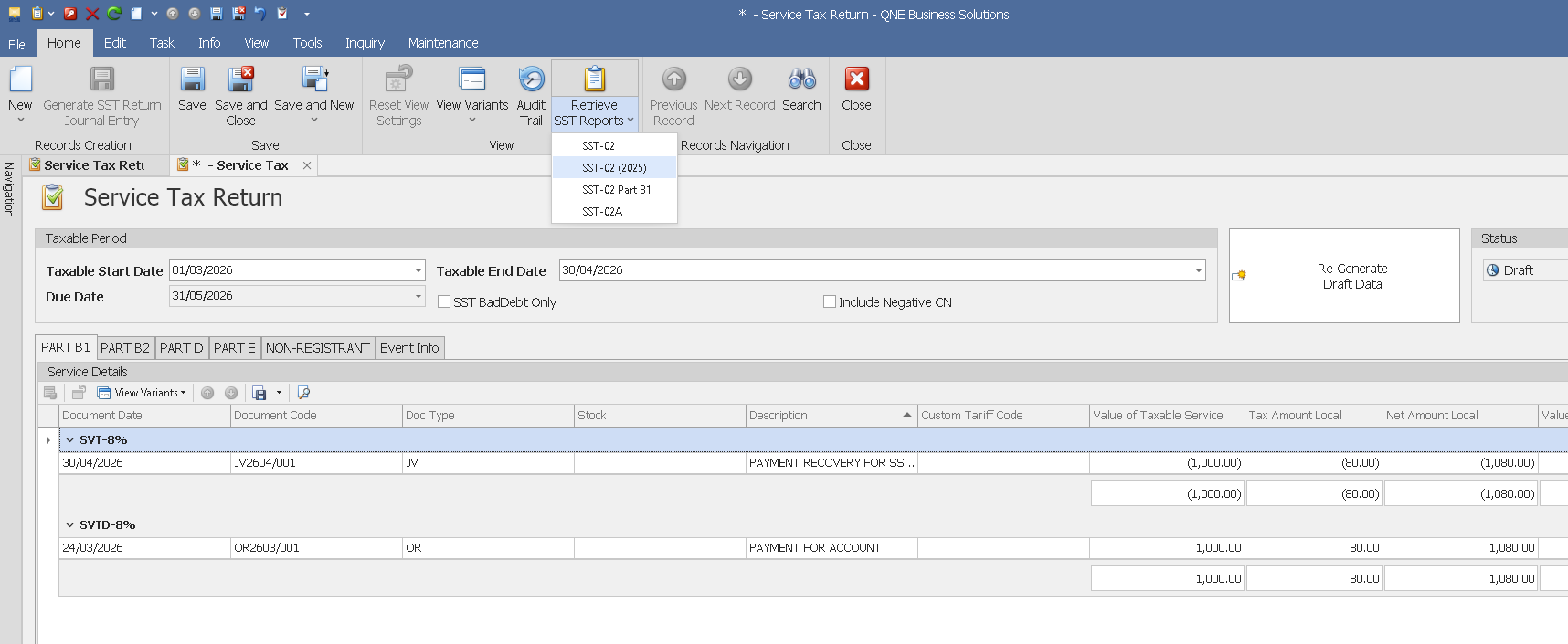
- Introduced support for the latest SST-02 (2025) form in the Service Tax Return module.
- Users can generate the updated SST-02 (2025) report directly from the system.
- Ensures compliance with the latest SST reporting requirements.
- Streamlines the preparation of Service Tax Returns using the latest form version.
✨ 3. SST Module: Enhanced Default Tax Code by Customer and Item
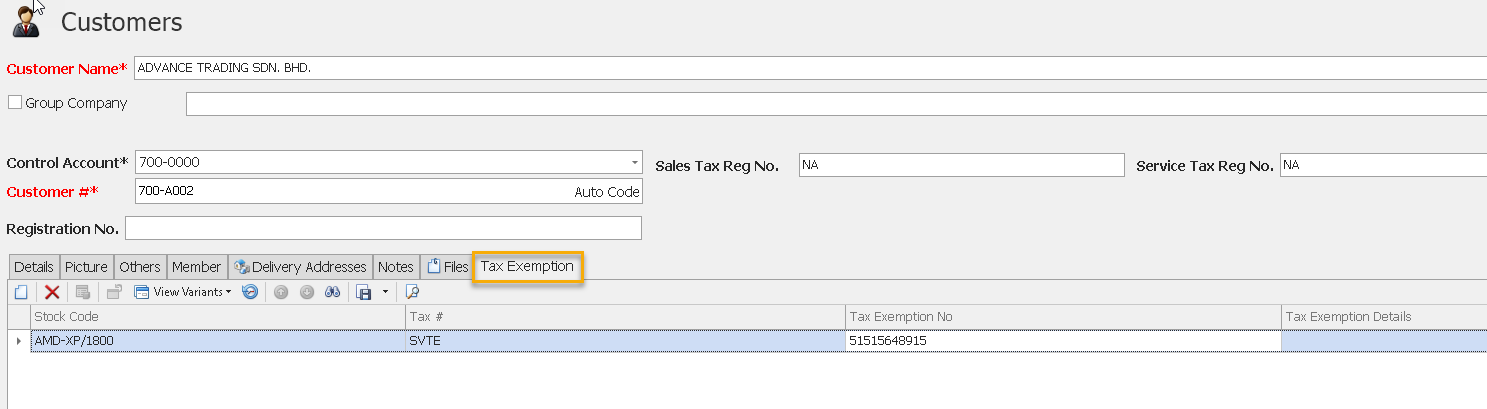
- Added support for default tax codes based on the combination of Customer and Item.
- The system automatically applies the predefined tax code when both the customer and item are selected in a sales transaction.
- Reduces manual tax code selection and helps ensure the correct tax treatment is consistently applied.
- Improves efficiency and accuracy for customers with specific tax requirements or exemptions, such as SST-exempt transactions.
- For complete guidance on using this feature - Click Here
✨4. Added Notes to Accounts Quarterly Report
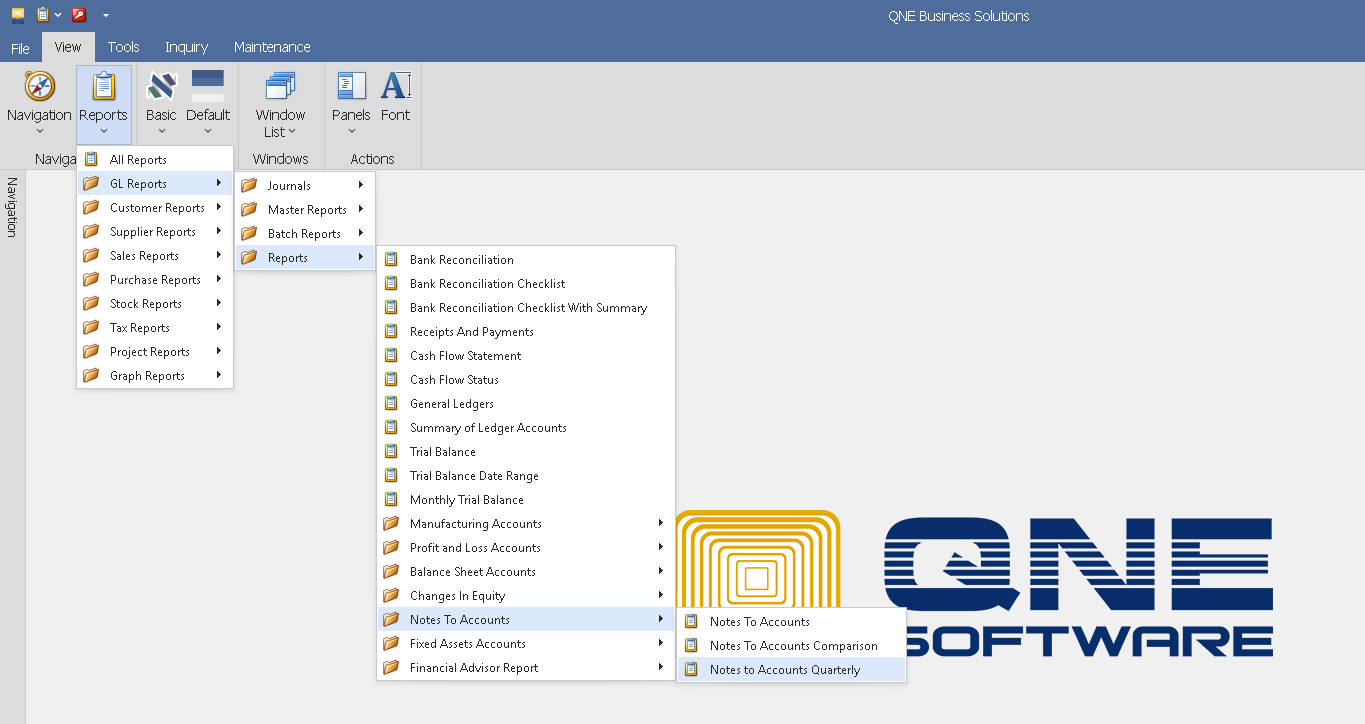
- Added a new Notes to Accounts Quarterly report under Reports > GL Reports > Reports.
- Enables users to generate Notes to Accounts based on quarterly financial data.
- Provides a structured quarterly view to support financial reporting and statutory compliance.
✨ 5. Auto Display Customer Knockoff Data Upon Customer Selection
- Added a new "Auto-Display Transactions in Customer Knock Off" option in System Options.
- When enabled, the system automatically displays customer transactions upon customer selection, eliminating the need to manually click the Inquiry button.
- The system also automatically refreshes transaction data when navigating to the next customer.
- Improves efficiency by reducing repetitive actions during the Customer Knock Off process.
- For complete guidance on using this feature - Click HERE

Also See:
Optimum Release Notes: 2026.1.1.0
Was this article helpful?
That’s Great!
Thank you for your feedback
Sorry! We couldn't be helpful
Thank you for your feedback
Feedback sent
We appreciate your effort and will try to fix the article
