Overview:
The e-Invoice Special Voluntary Disclosure Programme (SVDP) has been introduced by HASiL to support taxpayers in regularizing their e-Invoice compliance. The programme is effective until 31 December 2027.
To support SVDP submissions, HASiL has introduced new e-Invoice document versions in the MyInvois SDK:
- SVDP 1.2 – without digital signature
- SVDP 1.3 – with digital signature
Therefore, when an existing e-Invoice requires correction and resubmission under SVDP, users need to submit the document using the applicable SVDP document version instead of the normal e-Invoice submission.
In QNE, a dedicated SVDP e-Invoice button is provided to simplify the submission process. When users select this option, QNE will submit the e-Invoice using the SVDP 1.2 document version.
For normal e-Invoice submissions, users should continue to select Submit e-Invoice, which uses the standard MyInvois SDK Version 1.0.
Scenario:
The business has not submitted the consolidated e-Invoice for June 2026.
The user discovers the outstanding submission in August 2026.
The user needs to submit the consolidated e-Invoice for the previous period to regularize the e-Invoice compliance.
In this situation, the user can use SVDP e-Invoice to submit the applicable consolidated e-Invoice under the SVDP document version.
Solution:
Note: Features available in version 2026.1.3.1 and above
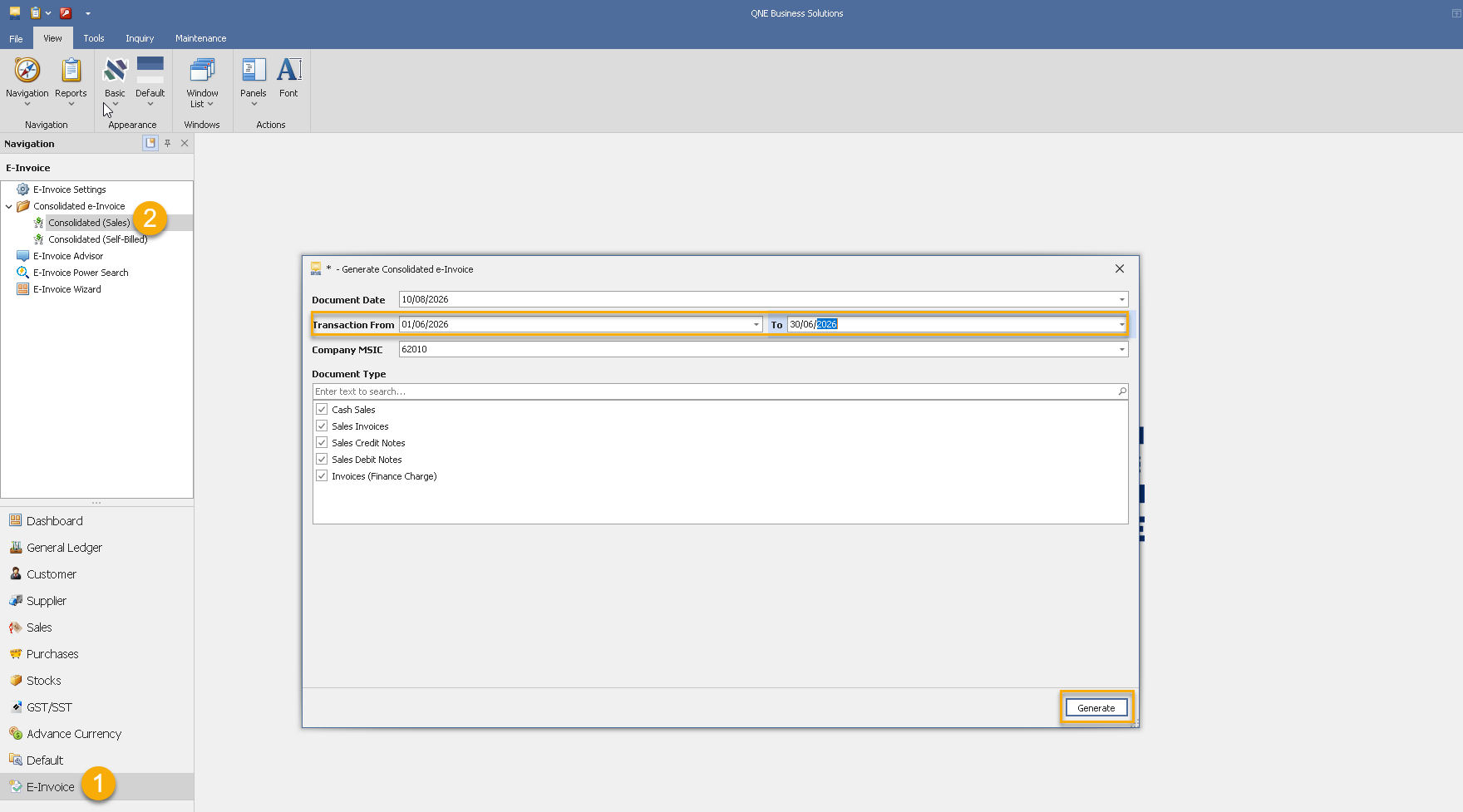
1. Navigate to Consolidated e-Invoice (Sales). Update transaction Date from 01/06/2026 to 30/6/2026. Generate it.
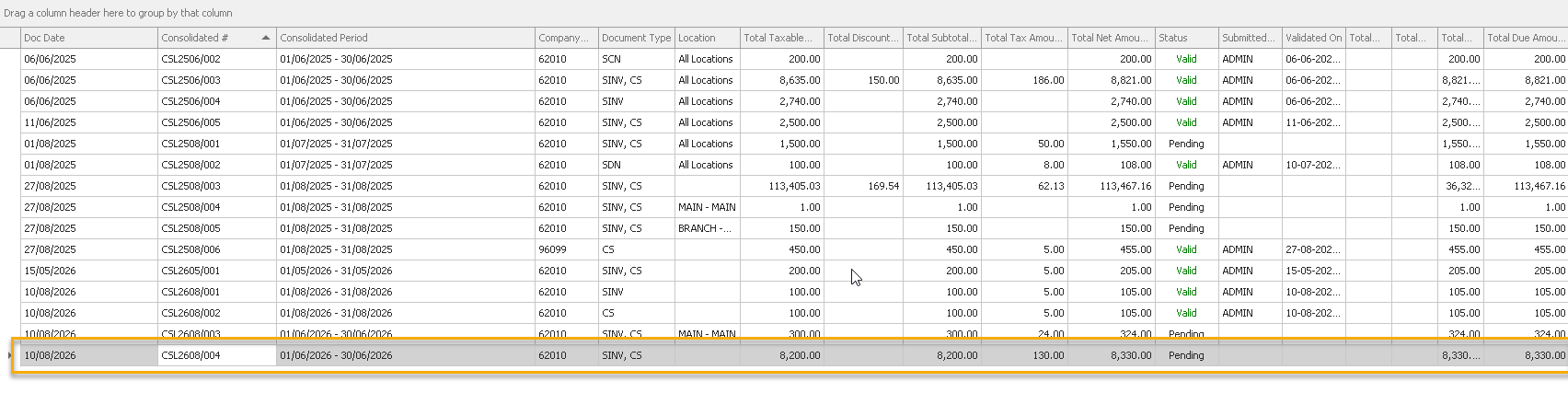
2. System generated the transaction, click on it
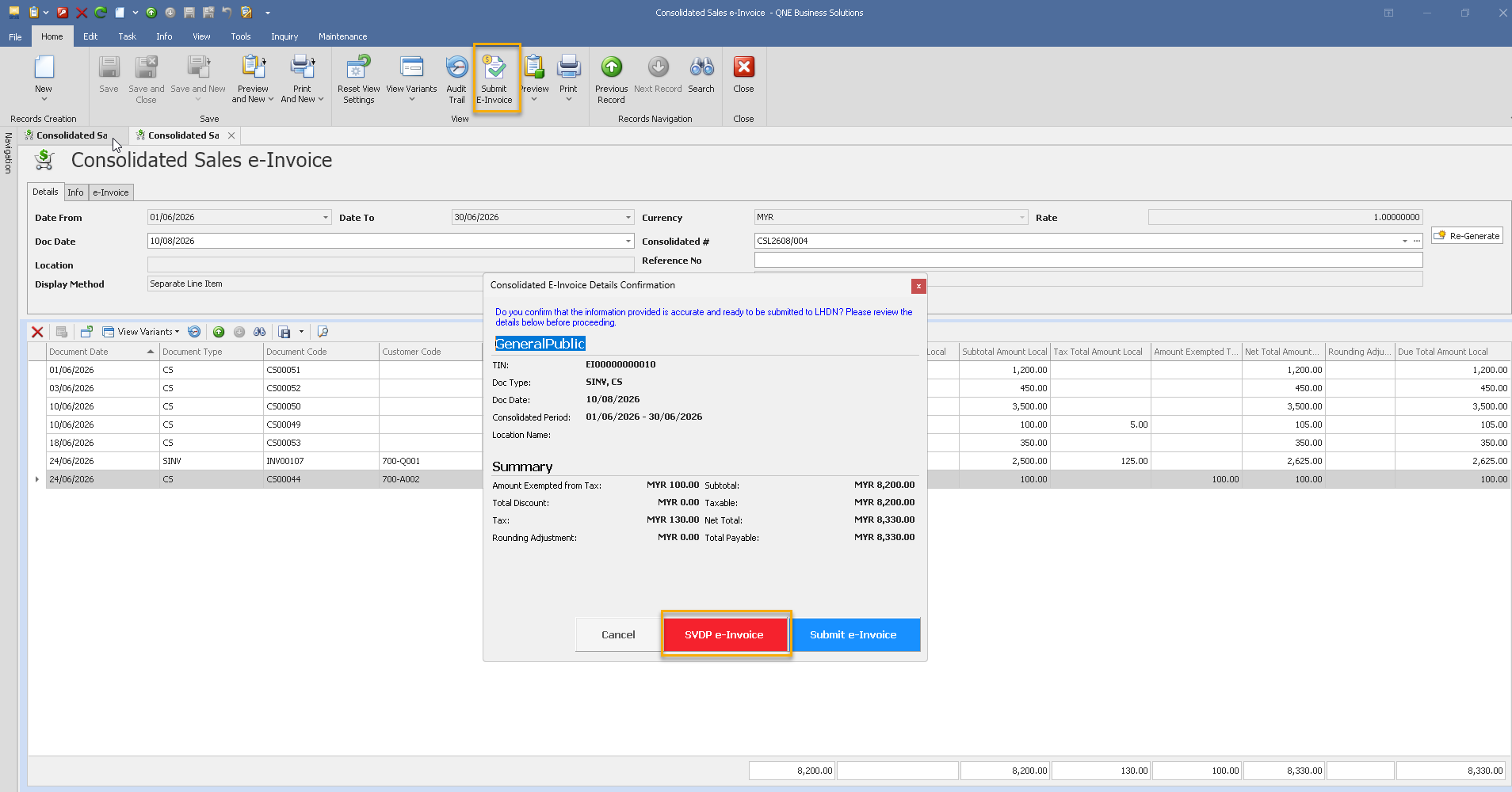
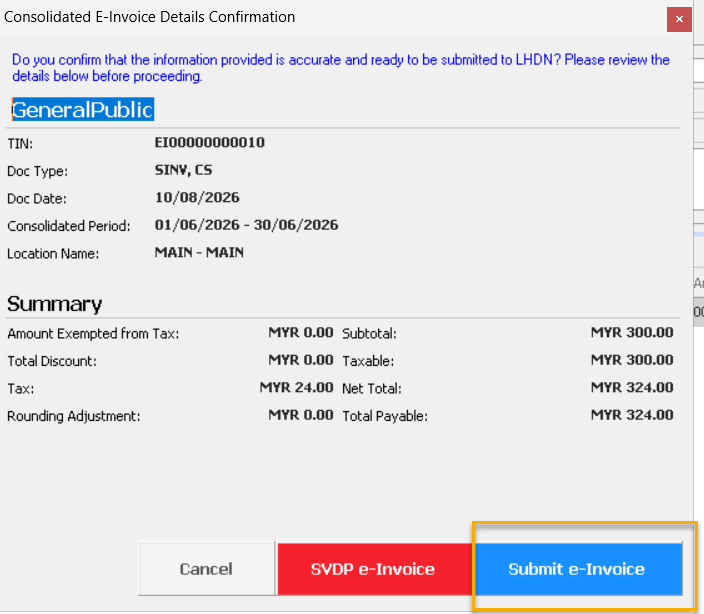
3. User verify the contents, if everything is correct click on “Submit e-Invoice” button.
System prompts the submission confirmation, click on “SVDP e-Invoice”.
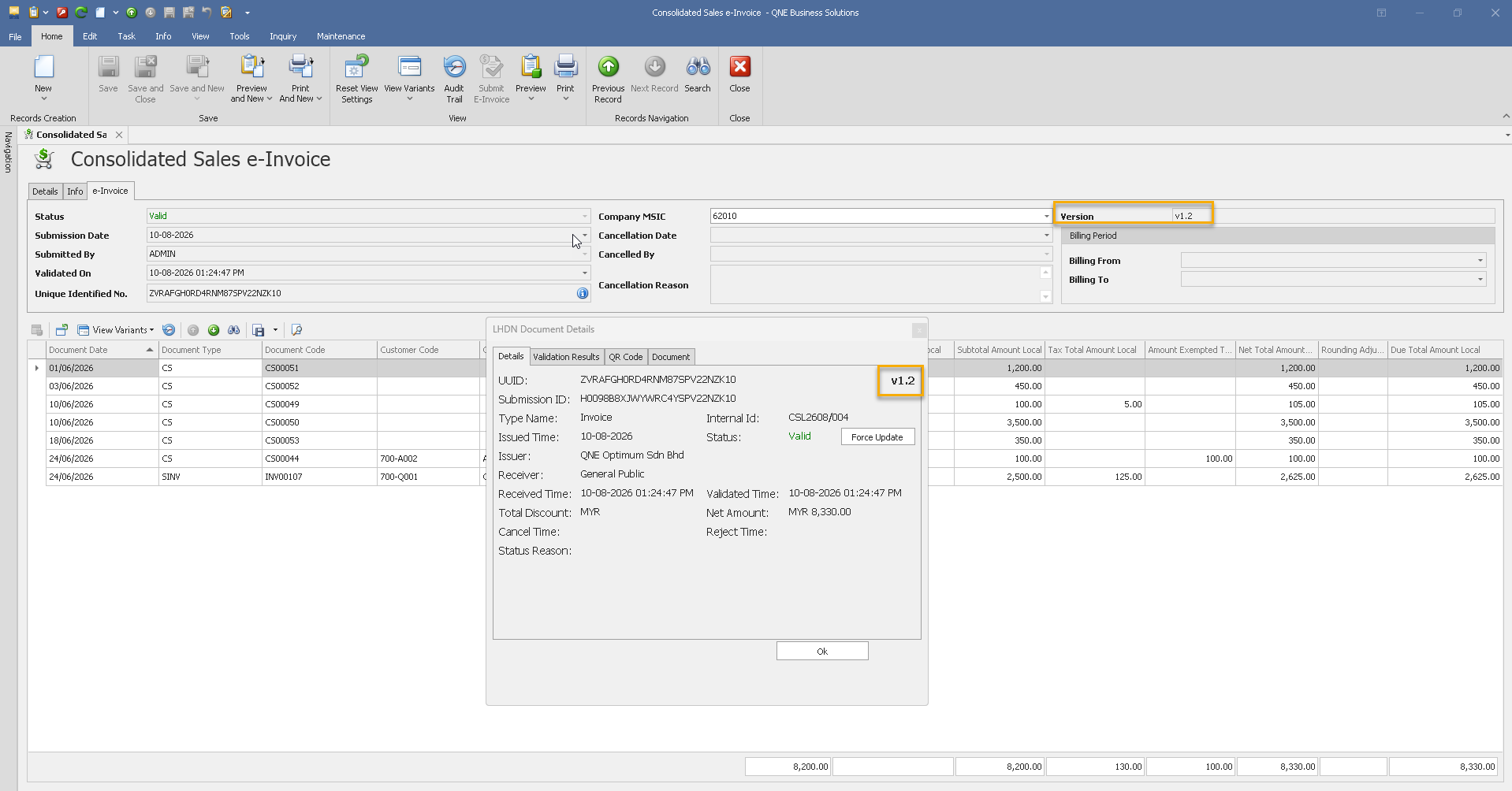
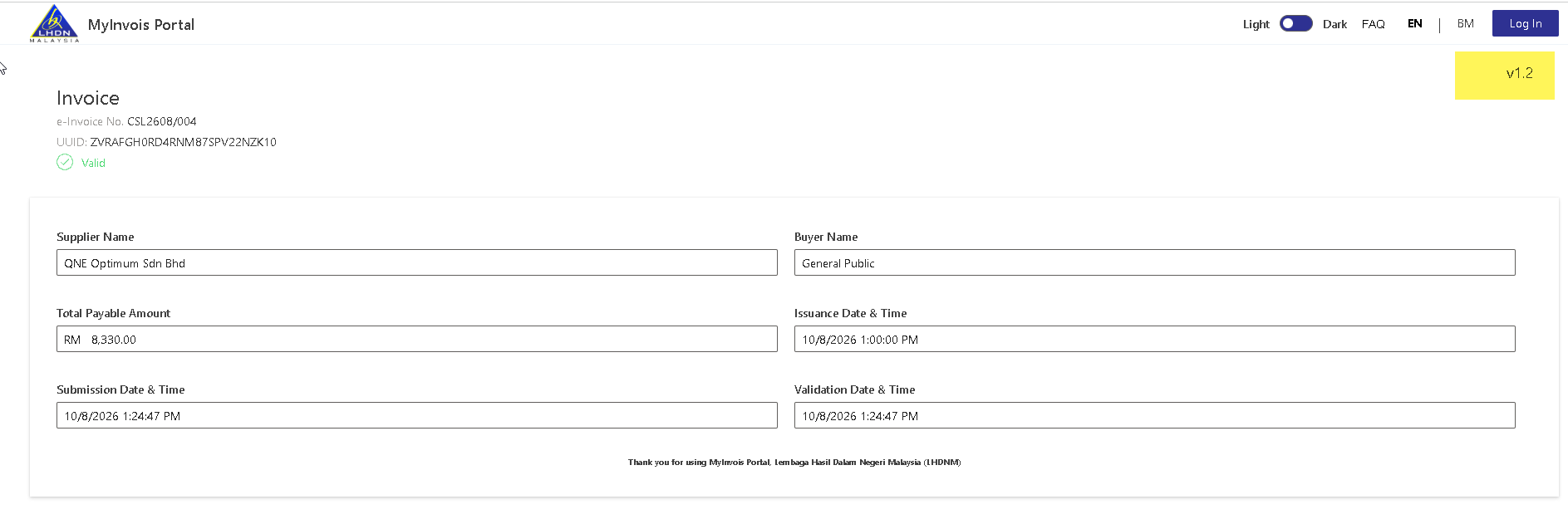
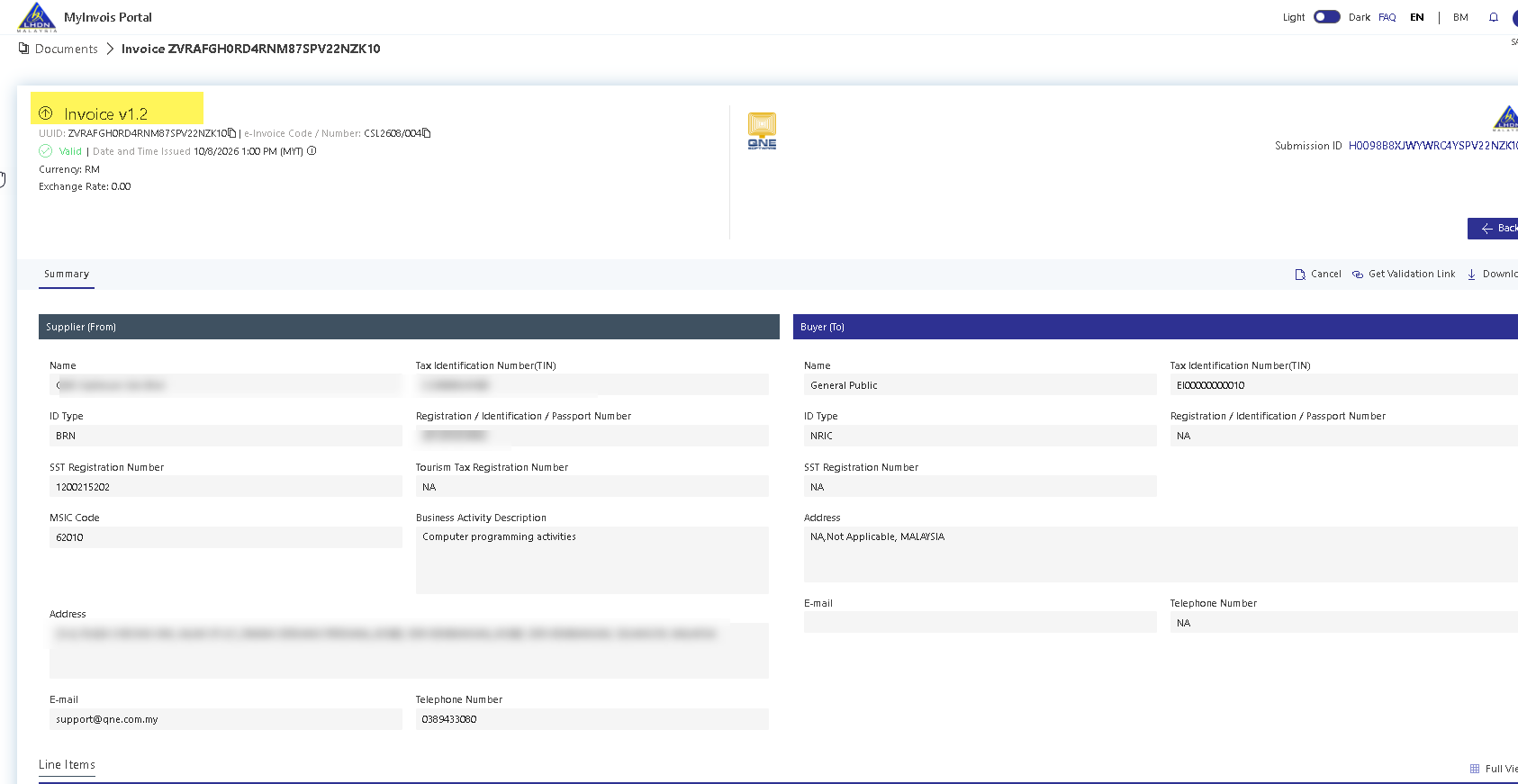
4System submits as version 1.2 after validation.
Note:
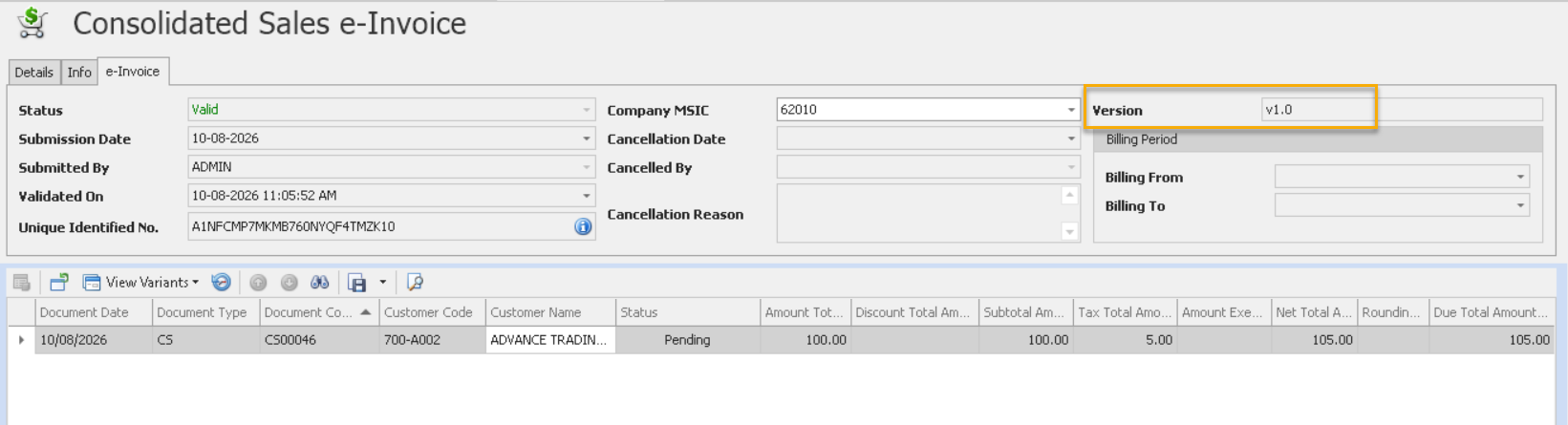
If user click on “Submit e-Invoice” button, system submit as ver 1.0 which the normal invoice
Was this article helpful?
That’s Great!
Thank you for your feedback
Sorry! We couldn't be helpful
Thank you for your feedback
Feedback sent
We appreciate your effort and will try to fix the article
