Scenario:
How can we exclude e-Invoice submission for online sales invoices (Lazada, Shopee, online shop website) from the consolidated process?
I have created Lazada, Shopee in Customer Maintenance.
Since these platforms already submit e-Invoices, we want to avoid double submission while still issuing invoices in QNE for our records.

Solution:
From ver 2026.1.2.0 Onward
1. Navigate to Customer > Customers. Set “e-Invoice Validation” as Non-Validation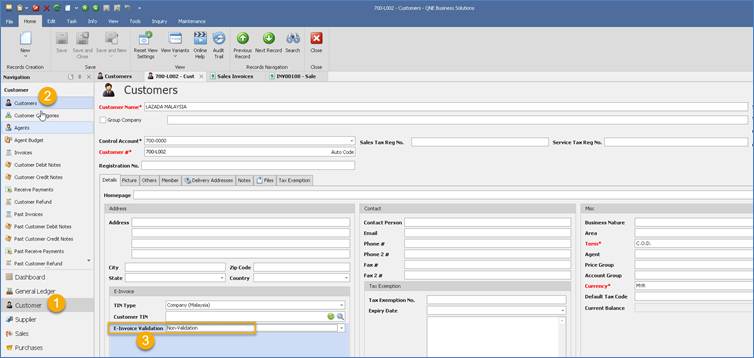
2. In transaction, example Sales invoice, once user select the particular customer set as “Non-Validation”
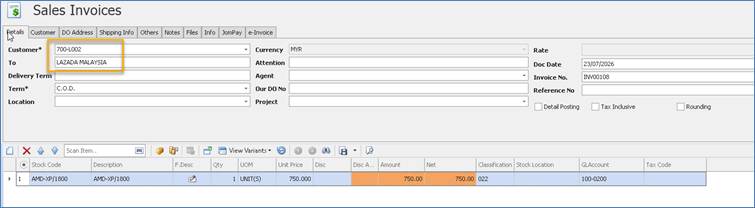
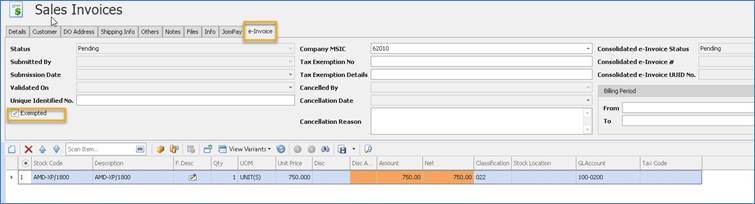
3. System will define this transaction as “Exempted” which it will follow the customer e-Invoice Validation setting
4. When generate Consolidated e-Invoice, system will not display the exempted invoices anymore. 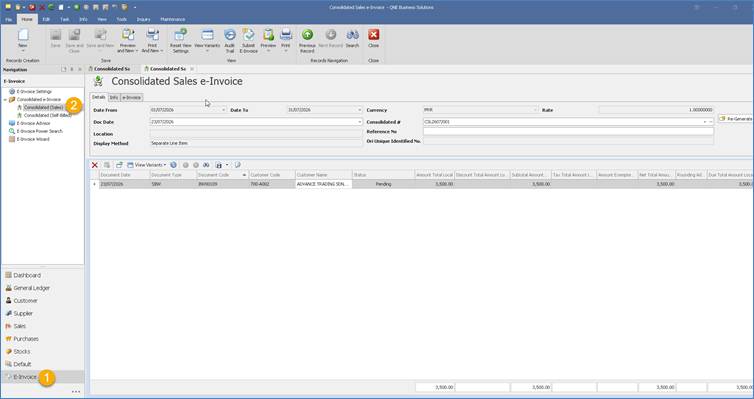
Remark
If we have defined customer as “Non-Validation”. However, in the Sales invoice we unticked “Exempted”
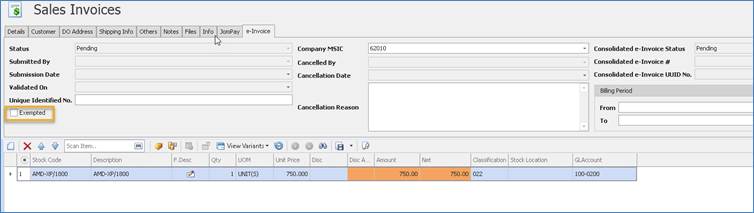
System will still display the invoices in Consolidated e-Invoice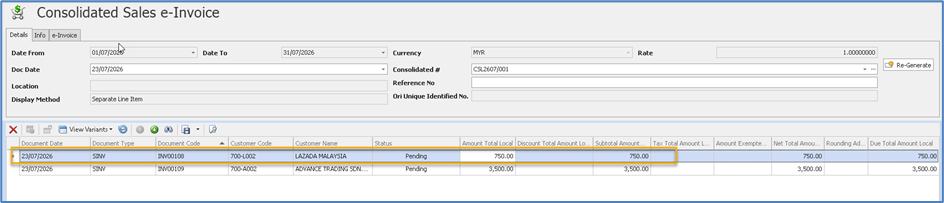
If you are using old version -- 2025.1.3.0
1. You can proceed this in manual way
2. Consolidated e-Invoice (Sales) > Right Click > Column Chooser > Select the field name as 'Customer Code' or 'Customer Name' > then drag to the table

3. User can click on the filtering option to exclude it

Was this article helpful?
That’s Great!
Thank you for your feedback
Sorry! We couldn't be helpful
Thank you for your feedback
Feedback sent
We appreciate your effort and will try to fix the article
