Overview:
Previously, once a Sales Invoice had been successfully validated as an e-Invoice and later cancelled within 72 hours, the document could not be reused.
Users were required to create a new Sales Invoice with a new document number if they wanted to resubmit the e-Invoice or make changes.
With this enhancement, users are now allowed to:
- Edit a cancelled e-Invoice
- Reuse the same document number
- Resubmit the e-Invoice for validation
This feature is available from 2025.1.8.1 onward, it helps reduce duplicate documents, improves document control, and makes correction workflows more efficient.
Scenario:
You submitted a Sales Invoice as an e-Invoice and it was validated.
Later, you realized there was an error and cancelled the e-Invoice within 72 hours.
Previously, you had to create a new invoice with a new document number.
Solution:
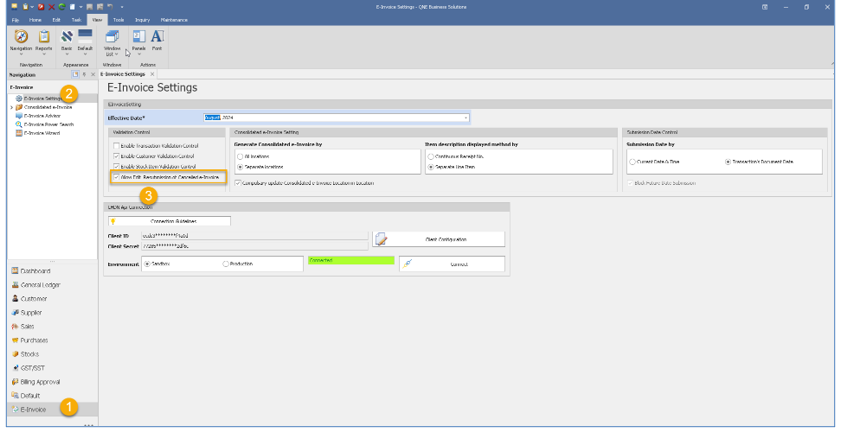
1. Navigate to e-Invoice Module > e-Invoice Settings > Enable setting “Allow edit Resubmission of Cancelled e-Invoice”.
2. Let says you have created a Sales Invoice and submit for e-Invoice as valid. As some incorrect update you cancelled it already. Edit > Mark As > Cancelled (e-Invoice). If you click on it, the system will actually cancelled from Myivois Portal already.
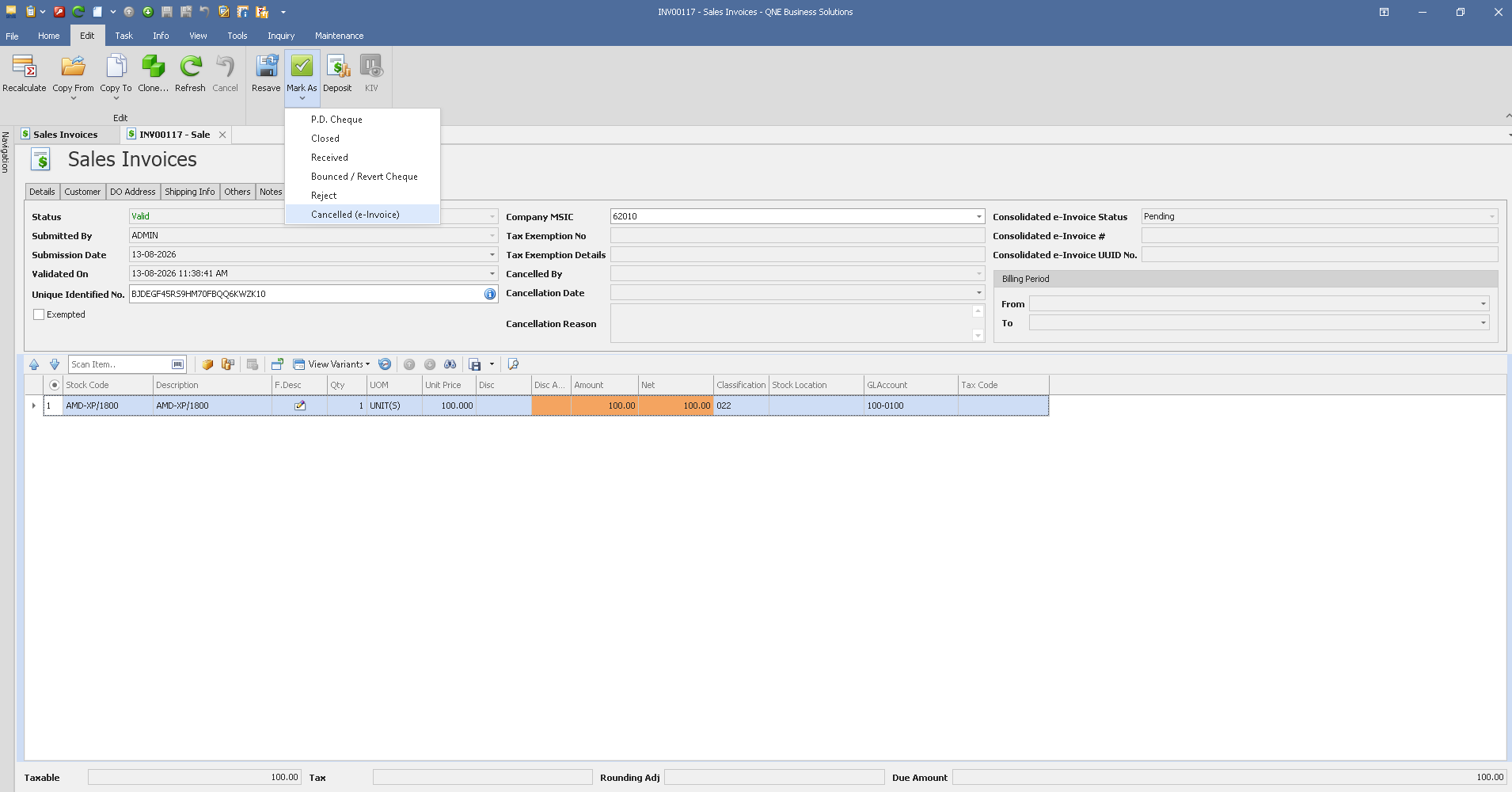
System prompts for updating the reason> Fill it up > OK
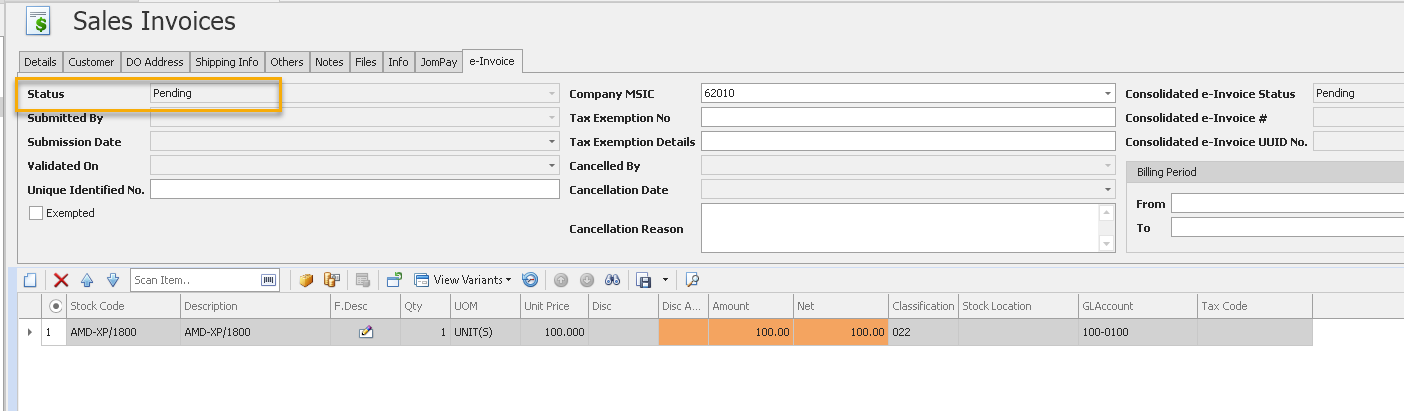
3. Notice that the system will be updated the status as “Pending”
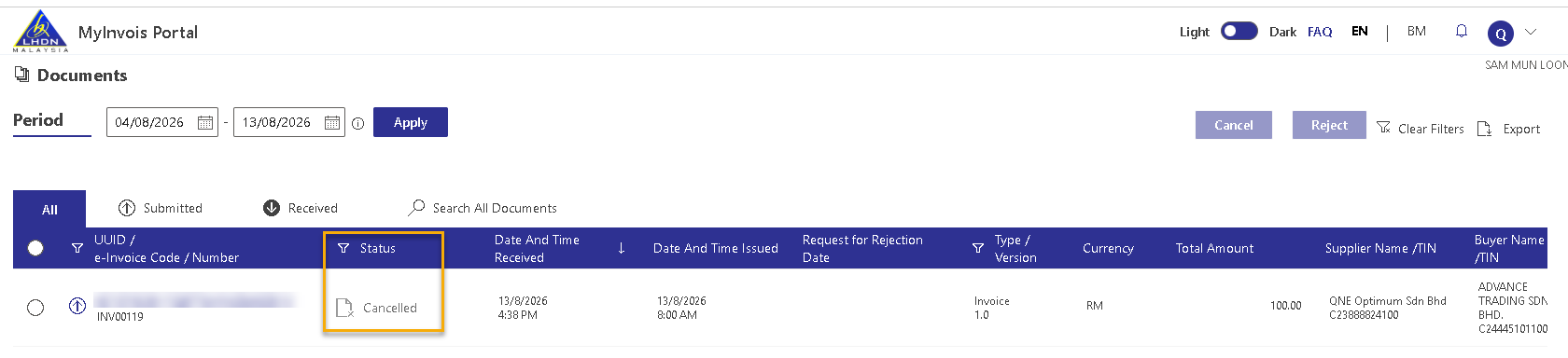
In MyInvois Portal has been updated status as “Cancelled”
4. You can continue to edit the Sales Invoice and submit for e-Invoice
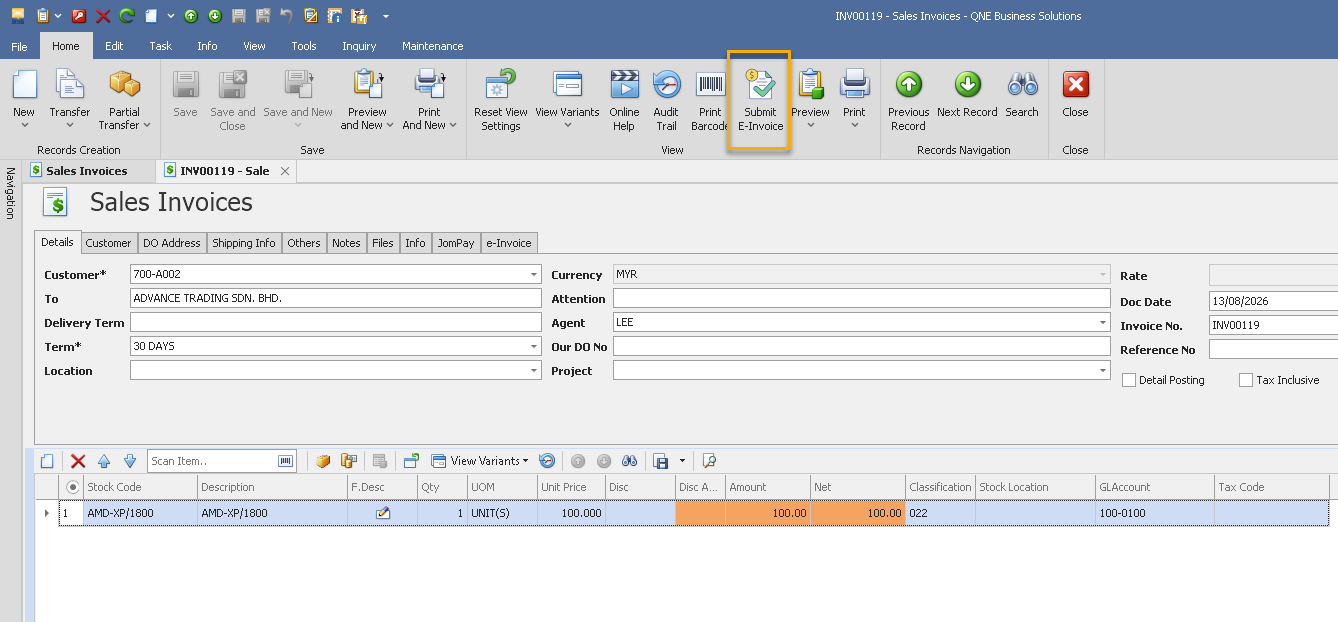
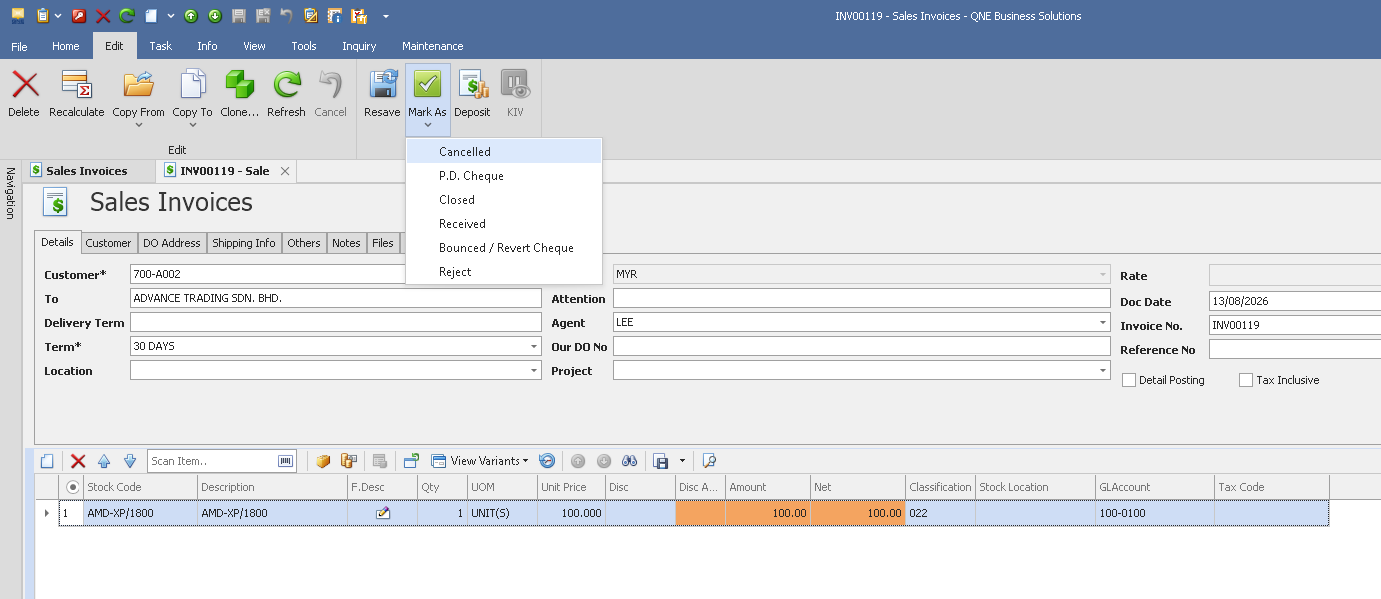
Remark: If you really want to cancelled for the entire transaction without resubmit, navigate to Edit > Mark As > Cancelled.
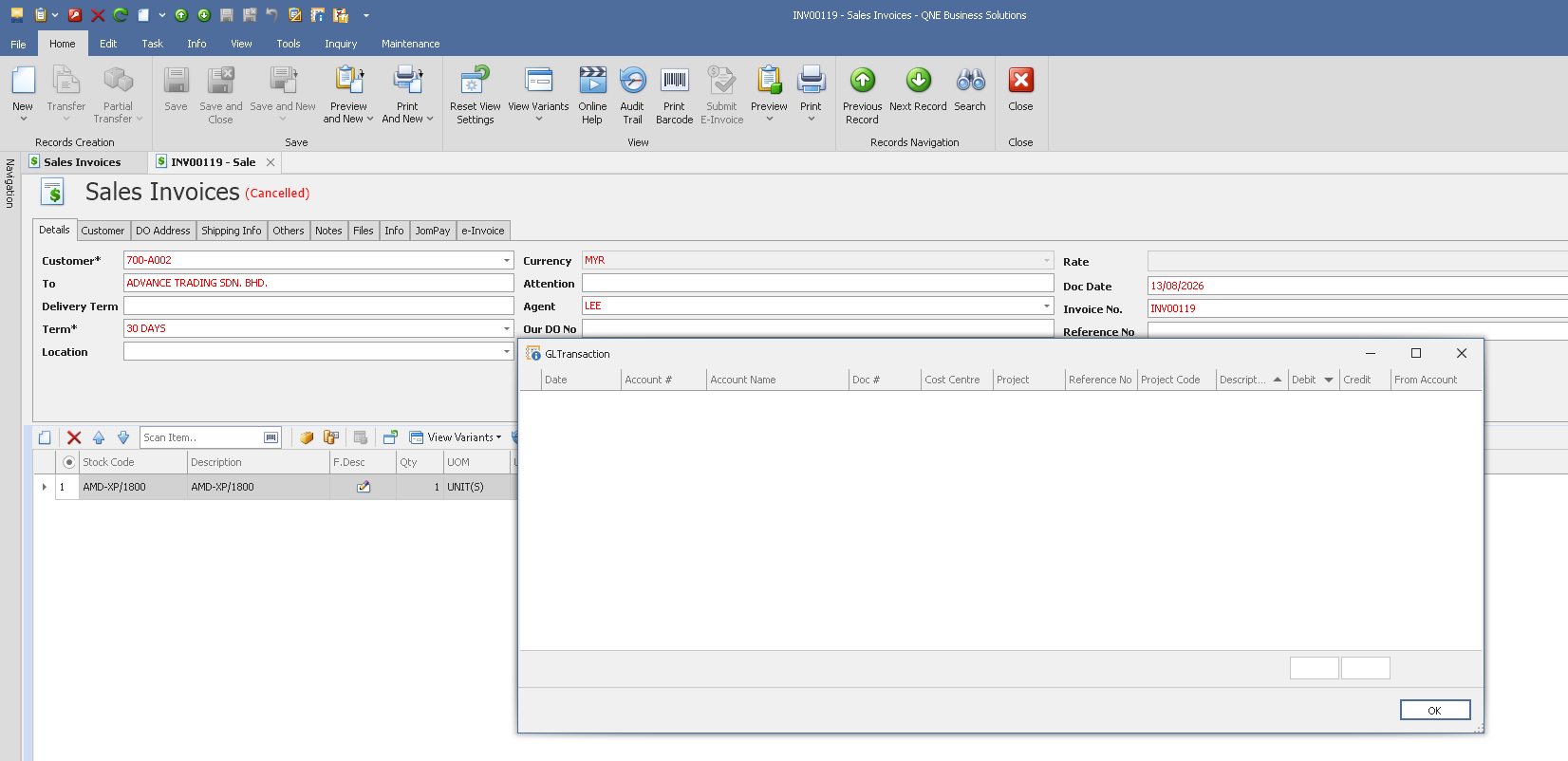
Then save it
Conclusion
1st Cancelled – e-Invoice: Cancels the e-Invoice in LHDN/MyInvois only. The transaction remains active in the system and can be edited or resubmitted.
2nd Cancelled – Transaction: Cancels the entire transaction in the system.
Was this article helpful?
That’s Great!
Thank you for your feedback
Sorry! We couldn't be helpful
Thank you for your feedback
Feedback sent
We appreciate your effort and will try to fix the article
